Taking a Look at Blogilo 1.1
For the most part, I haven’t seen the point of using blog editors like Blogilo. While there might have been a purpose to them back in the dialup days, it seems pointless in the days of always on broadband connections. Also, back before blog software like Wordpress had their great visual editors, I could see the need. However, I guess I could see some use for it on my laptop. I often compose blog posts on there in a text editor when I’m traveling. It would be nice to have it all formatted correctly and ready to go when I got an internet connection rather than have to load up Wordpress then spend time formatting it when I could have done that on my laptop while I didn’t have a connection.
Testing out kde-telepathy in Fedora Rawhide
I’ve been reading a lot about kde-telepathy and it seems to be the next evolution beyond Kopete. So I decided to check it out in my Fedora Rawhide VM since that’s going to have the latest packages and telepathy is still in deep beta. When I installed all the packages that seemed to be important, I got the following when I launched it from the alt-F2 menu.
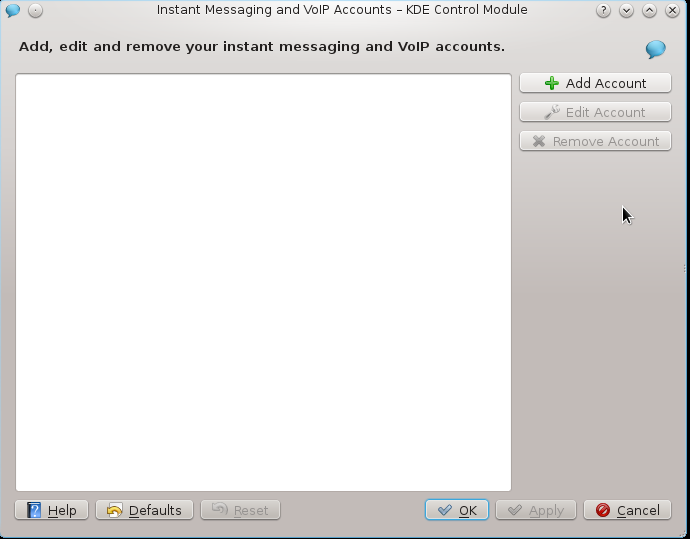
kde-telepathy accounts menu in Fedora Rawhide (F17)
KDE Look Part 5: KOffice 2
Back when I first started using Linux I was using a very underpowered computer that I got donated as part of my research at school. So OpenOffice.org was a real pain in the butt to use. It took forever to load! KOffice, on the other hand, loaded up quickly. At that time, with KOffice 1, they had the presentation program, the spreadsheet, and the word processing program.
At the time there were two neat things about KWord that I really liked and they both stemmed from something I was doing at the time. I was the head of the Phi Sigma Pi (scholastic frat) alumni team. We had a newsletter to get out. Turned out that KWord, as it worked at the time, allowed for very easy desktop publishing. I don’t think it was intended to replace Scribus, but when compared to Microsoft Word or OpenOffice.org Writer, it was MUCH easier to set the layout. That made it really easy to create. With MS Word (at least 2000 and 2003) it was SUCH a PITA to try and get images where you wanted to be and to have text properly wrap around it. We had all kinds of issues in this class I took my sophomore year in which we had a tutorial class session on how to do this and it was still horrible to work with. KWord also had the ability to output to PDF which was great as I was trying to help the frat save money by seeing if we could get the alumni to accept emails instead of letters. They ended up rebuffing that offer, but at least it was something I was able to do. (I hadn’t discovered cutePDF and other ways to create free PDFs on Windows)
KDE Look Part 4: Fixing things with a little help from my Friends
Sure, it’s a tired and cliche phrase, but hurray for the wisdom of the crowd. I’ve received comments on identi.ca, twitter, and in the comments here with answers to nearly all my problems with KDE. Let’s see if I can get them all to work. First off, I was told that my problem with Konversation not getting my password in time to keep me from being signed into the fedora-unregistered could be solved by setting the password as a server password. Alright! That worked! woohoo! Before I’d had it set to just run the /msg identify command.
KDE 4 Look Part 2: Amarok 2.3.2 in KDE 4.5 and Fedora 14
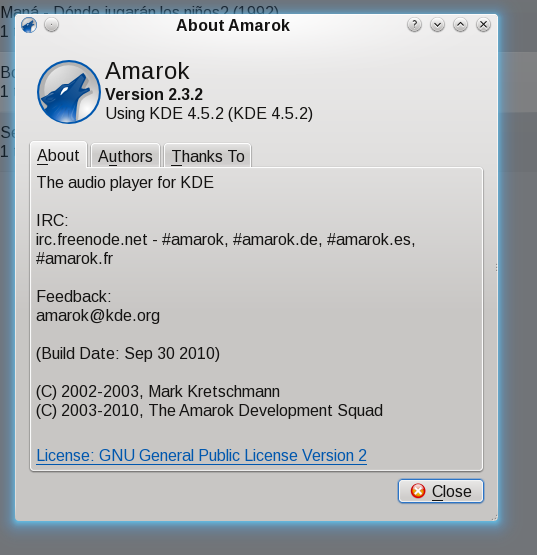
Amarok 2.5.2
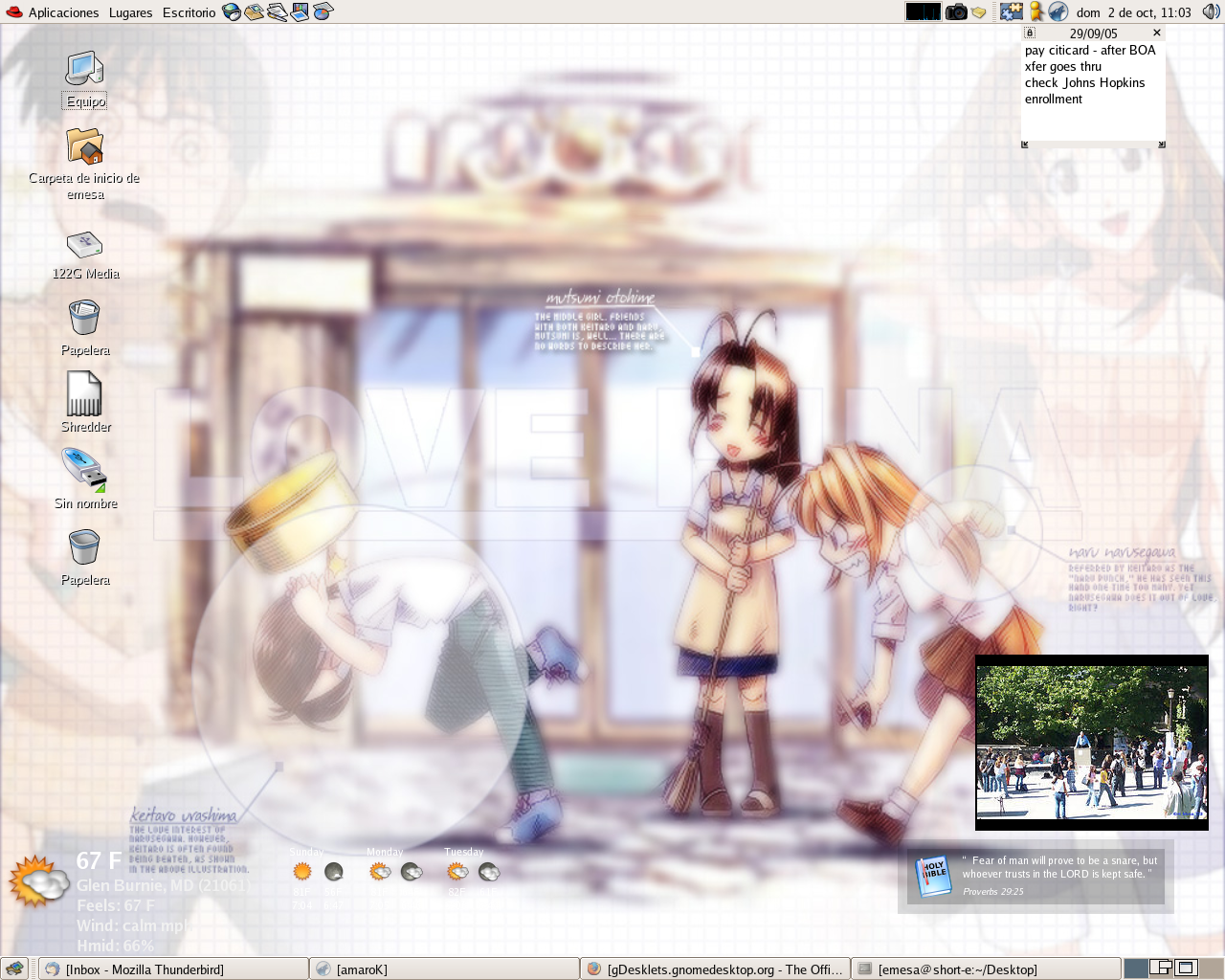
There was a time when I thought Amarok was the best music player on Linux. I even used to run it in Gnome as you can see from this 2005 screenshot. In that first link you can read me gushing over Amarok 1.4. I loved all the integrated technologies, especially the metadata juggling Amarok did. The first few Amarok 2.x releases with the KDE 4 libraries were complete crap. They were ugly and were missing nearly all of Amarok’s features. (Mirroring the complaints people were having about KDE 4 at the time) When I took a look at Amarok and KDE 4.4 in October I said I would take another look at Amarok.
Review: Slax 6.0.7
For some reason, I didn’t get Linux Format Magazine issue #110 when I was supposed to. I ordered another copy and it arrived recently, so it’s time for another slate of Linux reviews. Unfortunately, something appears to be wrong with the way they mastered the magazine DVD, because I was unable to boot into any of the Slax options. So I went online and got the latest ISO off of http://www.slax.org.
The future of Compiz-Fusion
Compiz-Fusion, as you surely know is responsible for eye candy on GNU/Linux distros such as windows that turn into paper airplanes when the user minimizes it to turning the desktop into a spinning cube. There’s something about the wobbly windows that provides some a sense of inertia that just makes things feel a little more dynamic on the desktop. I can’t explain it, but some of the effects make the GUI slightly more useful. However, Compiz-Fusion isn’t perfect.
KDE is back!
On my system, running Fedora 7 and Compiz causes the computer to refuse to exit Gnome. I always have to go into a terminal and shut the computer down that way and it’s extremely annoying. So I’ve decided to run KDE as my default desktop instead of Gnome. We’ll see if I can rekindle the fire I used to have for KDE or if it will annoy me enough to drive me back to Gnome.
KDE 4 Marches on....
KDE.news has reported on part of the progress of KDE 4 specific to SVG graphcs. (I know that’s redundant) It’s redundant because SVG stands for Scalable Vector Graphics. Ever since about 2 years ago, Gnome and other projects began to move to SVG rather than PNG, JPG or other types of graphics. “What’s the advantage?” you may be asking yourself. Well, the advantage lies in how pictures are represented in SVG instead of, say, PNG and its ilk.
Spending some time with KDE
I used to love KDE and thought it was so much better than GNOME. Especially after discovering Superkaramba, I was sure nothing could beat KDE in terms of cool factor. Later I started using more GTK applications so I gravitated towards GNOME, fluxbox, and XFCE. Also, I ended up not really using the SuperKaramba widgets that much because they were always buried under my other windows….where I was doing real work!