Top 200 Photos: #107
Staying at Cornell and adding a bit of celebrity for today’s Top 200 Photo.
photo #107 is:
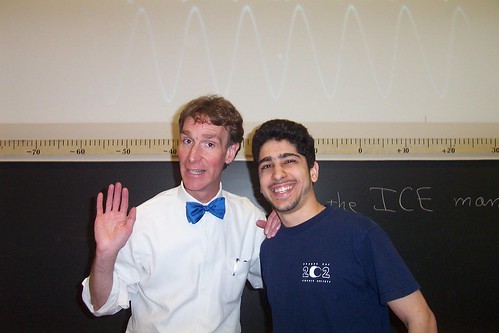
Bill Nye got his undergraduate degree in mechanical engineering from Cornell University. In an example of the awesome professors you can have at Cornell - one of his professors was Carl Sagan! Cornell has a program that invites alumni to come back once a semester and teach a class for a day. Here Bill Nye was teaching my Physics 213 class. My wife had alumni and former attorney general Janet Reno teach one of her classes. Anyway, I knew Bil Nye both from his appearances at the end of the animated Back to the Future show and from his show Bill Nye the Science guy, which I used to watch religiously.
Top 200 Photos: #108
And we bounce right back to Cornell for today’s Top 200 Photo.
photo #108 is:
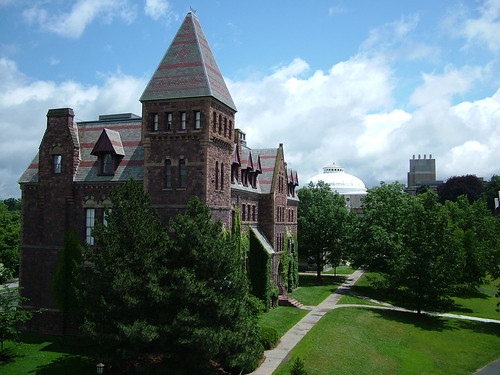
It’s a shame that we go to school in the winter instead of the summer. I know it has to do with our rural past and having to help out in the farm, but it’s extra annoying at Cornell. Summer is really the best time to be there. It’s so pleasant and awesome. The campus is huge and has lots of greenery and it just feel so much better to be there during the summer. I think Cornell should be the first northern university to buck the trend and have school during the summer and no school during the winter.
Top 200 Photos: #109
Back to England for today’s Top 200 Photo.
photo #109 is:
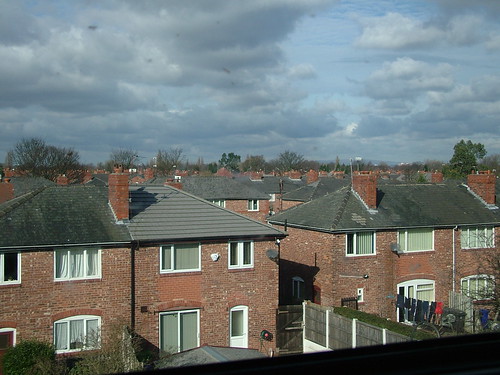
Since I was going to the middle of England for work, I decided to fly into Manchester instead of the insane Heathrow in London. Then I just took the train to my final destination. It was great. I snuck in a five minute nap here and there, but mostly I looked at the British countryside. This photo is from the suburbs of Manchester and it reminds me a lot of the way Brooklyn is laid out.
Top 200 Photos: #110
Time for another Top 200 Photo.
photo #110 is:
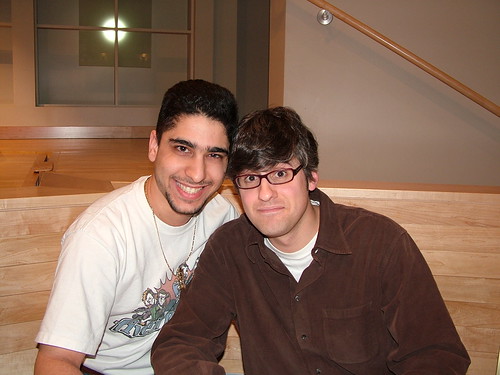
I’d been a fan of Mo Rocca since I saw him on The Daily Show. I also enjoyed his contributions to VH1’s “I love the [decade]” series. These days I’m likely to hear him on NPR’s “Wait Wait Don’t Tell Me” as a panelist. It was his involvement with the Broadway show “The Putnam County Spelling Bee” that made want to see it. Although he’s not Jewish, he was invited to Cornell in 2005 at the behest of the Hillel Club. He gave a talk about his career and interests. Highlights included his incredulity at being hired an as editor for men’s magazine Perfect 10, his friendship with Flava Flave, a clip of him on The O’Reilly Show, and his love of presidential childhood homes.
Top 200 Photos: #111
What happens in Vegas gets captured by Eric, put on flickr, and ends up on his Top 200 Photos!
photo #111 is:
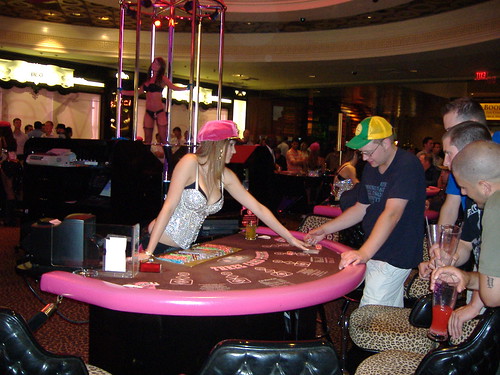
After years of trying, I finally got work to pay for me to attend Blackhat. It was happening at Caesar’s Palace and I booked my room early enough to get a rate within what work was willing to pay. So when the conference wasn’t going on (early in the morning or late at night), I’d wander the Casino looking for photographic opportunities. At that time, 2008, they had a gambling area that was Pussycat Dolls themed. Basically that involved everything being pink, dealers in more modern clothes, and a go-go dancer in lingerie. Oh, and I think they had pop music playing, but I don’t remember if they did or not.
Top 200 Photos: #112
And we’re at Cornell once again for today’s Top 200 Photo.
photo #112 is:
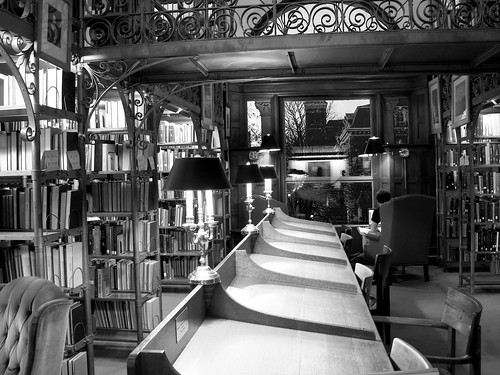
This is from the Andrew White reading room at Uris Library. I didn’t properly take advantage of the library spaces in my freshman and sophomore years. It was when I really got serious about my studies in my Junior Year (after a scare in which bad grades almost got me kicked out of the electrical engineering program) that I began to utilize the libraries. In my first two years I would go back to my dorm between classes even if I could only be there for 10 or so minutes and I’d check my email and the net. I only did my assigned homework so I didn’t need all the time I was wasting going back and forth. Once Junior Year rolled around and I started doing extra problems in order to ensure I understood the material well enough to gets Bs and As, I needed to use the libraries to study. So I started to frequent the Uris and the Engineering Library at Carpenter Hall. The engineering library was my first introduction to Linux (they had Mandrake installed) and Firefox (before it was even called Firefox).
Top 200 Photos: #113
To Philly for today’s Top 200 Photo.
photo #113 is:
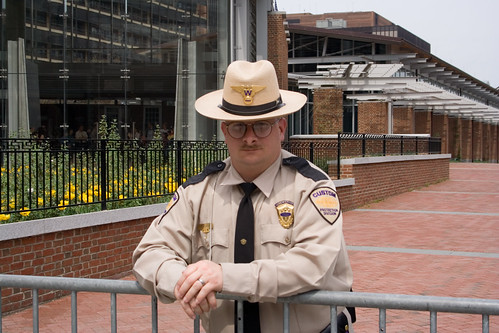
This was during a trip Danielle and I took to Philidelphia to see an Anberlin concert. We decided to also go ahead and see the sights. We saw the Liberty Bell in its new home, tried a real Philly Cheese Steak, and just enjoyed being somewhere else.
This photo is just a reminder that people won’t always say ‘no’ when you ask to take their photo. In his case, it’s because I really liked his uniform.
Top 200 Photos: #114
Still at Cornell for today’s Top 200 Photo.
photo #114 is:
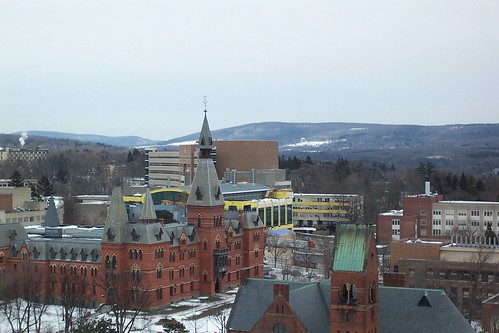
Another photo taken from the top of the clock tower. This time it has the business school as the most prominent building. It’s crazy how much that skyline has changed with new building construction.
Top 200 Photos: #115
Cornell again, for today’s Top 200 Photo.
photo #115 is:
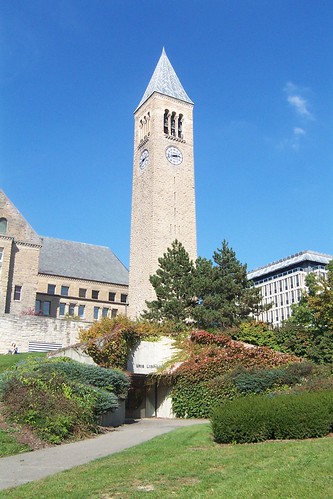
Most of the buildings at Cornell had multiple entrances. Because of the hilly nature of the campus some of these entrances, like this one into Uris Library, went unnoticed by the majority of the student body.
Top 200 Photos: #116
Reflections and Self-Portraits in today’s Top 200 Photo.
photo #116 is:
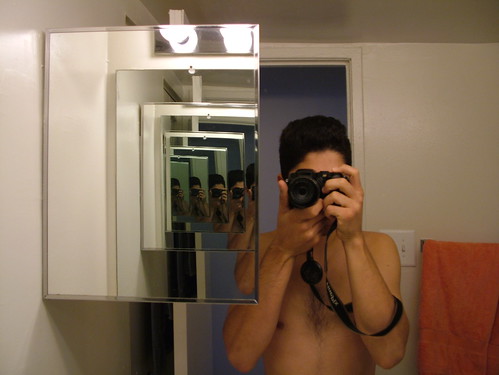
Ever since I was young I was fascinated by visual depictions of infinity. It’s such a strange concept to get one’s mind around and I’m a visual person. So I’ve always loved looking into parallel mirrors. I also used to love hooking up a video camera to a TV and then filming the TV. The infinite scene there was so awesome to observe.