Hey, Pycharm, hey.
Back in September I wrote about moving to KDevelop for my larger Python projects and also staying with Kate for my smaller projects. I’ve REALLY been enjoying all the features as I work on more and more complex packages involving lots of files. But for a few episodes of Python Bytes now (and/or maybe Talk Python to Me - they share a host) they’ve been talking about how awesome it is to use an IDE that has a Python debugger built in. It may be that KDevelop has that ability (I’m pretty sure it does for C++), but I’m not sure. I am nearly certain that Pycharm does have a debugger built-in. A while ago I’d set up the Pycharm COPR repo on my laptop. I tried playing with it a little at the time, but I was coding on a very small project without a venv, so things didn’t work out well. (Pycharm is pretty opinionated about the way a Python project should work)
EL Donation Tracker (v4.1.1)
It’s been 5 months since I last wrote about ELDonation Tracker, my software for tracking Extra Life donations for use during a livestream or VOD. I’ve been quite busy since then! First, I used Github pages to make a site for the software to make it a little easier for those who are just users and don’t intend to do any development. They don’t have to navigate Github to try and figure out how to get the program and use it. Then, by reading Serious Python I learned about Sphinx, which can automatically create documentation out of your docstrings. I also learned that all these “readthedocs” pages I’d seen springing up with all the projects I care about were leveraging the fact that readthedocs.io will use your Sphinx documentation to create hosted documentation. So now I have some great documentation for my software. Finally, it’s my SECOND bit of software to go up on PyPi:
QGit vs GitQlient
I wrote about GitQlient a while ago. A few days ago I got a GitHub notification that GitQlient had finally reached 1.0. Consequently, the author created an Appimage version of the client so I was finally able to try it without having to compile on my own. As I started taking screenshots for blog post, I realized that the points I wanted to make would be more easily made if I could show them via a video, so I made a video comparing the two.
My first PyPi Package!
I was reading Serious Python by Julien Danjou as well as looking through other Python repos when I realized that my Extra Life Donation Tracker repo was a mess. (It’ll be different by the time you read this, but here’s how it looked at the time) After learning about how things should be structured and reading Mr. Danjou’s book about how I could use Sphinx to auto-document my code, I decided to undertake the challenge. However, there was a lot to learn and this code is used by many others for their Extra Life campaigns. I wanted to start off with much simpler code, so I started off by packetizing my lastfm-twitter code. It was a fun journey over the last week or so as I learned how to restructure my code and auto-document. (I also learned a lot about how to use Drone CI, which I’m using for my home projects that aren’t on GitHub) As the final lesson, I taught myself how to create a package for PyPi via Drone CI and so, I now have a PyPi package that anyone can import with pip!
Getting rid of some old Java textbooks
I had been hanging on to these books in case I ever found myself wanting to do some Java programming. But as I’ve come to learn (mostly because of Python, but also through following the Perl 6 saga), languages change and evolve and so a couple books from nearly 20 years ago probably won’t be more useful than a newer book or a good Google search.
Walter Savitch second edition of Java: An Introduction to Computer Science and Programming
What I want in #CircuitPython2020
Over on Adafruit they asked the community, " What do you want from CircuitPython in 2020?" What’s CircuitPython? It’s a subset of Python that’s meant to run on embedded processors. Essentially I could use it (on compatible boards) in place of Arduino’s subset of C++ or TinyGo. As you know if you read my 2019 in Programming post, I love programming in Python and I love making GUIs with Qt. With Adafruit’s PyPortal, I was looking at making a GUI interface for some usecases here, but from what I can find on Adafruit’s tutorials THIS is how you make GUIs. Ugh! I mean, it’s kind of in the whole DIY spirit to make your GUI out of basic elements like circles, squares, and triangles. But, since Qt is available for embedded devices, I’d love to be able to use Qt5 Designer and pyuic5 just as I do with regular Python to create awesome GUIs for my CircuitPython projects (when they have a fully-featured screen, of course).
2019 In Programming
This was a VERY busy year for my coding. This year I had over 769 commits to GitHub; my previous best was 58 in 2014. The commits were very unevenly distributed. If you look at the graph of my commits, outside of a busy week in January and another in May, I didn’t really start coding until August.
 GitHub activity graph
But perhaps commits to GithHub isn’t the best metric. If you look at what I accomplished in the second half of 2019, I worked on an incredible number of projects.
BBQ Thermostat Project: First Live Test
This is copied over from my Hackaday.io page.

Today I was smoking a turkey so I figured it was a good time to do a live test of my project. There was good news and bad news. I think it’s illustrated quite well by the following graph:
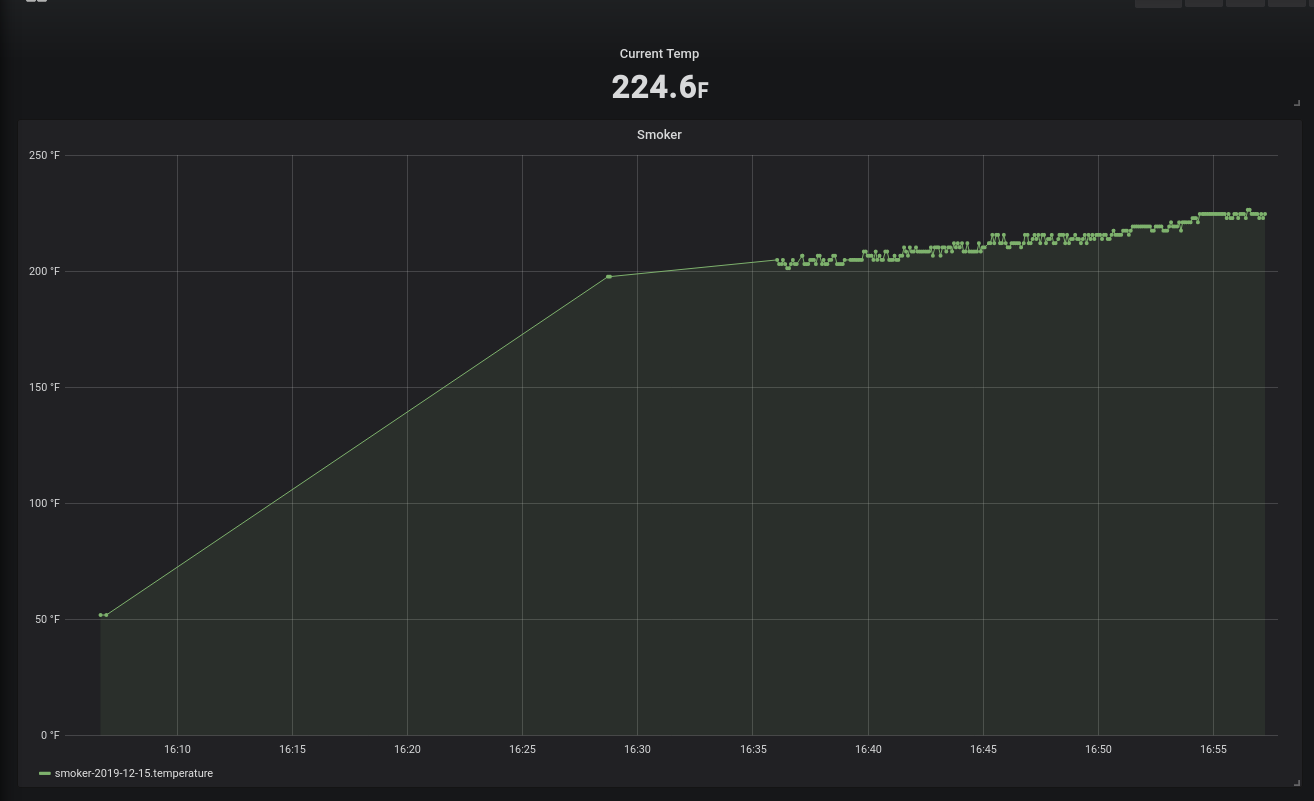 Grafana graph of my BBQ Thermostat while measuring the smoker temp
Unity 2D Game 6: Tilevania
The sixth, and final, game of the Udemy class on Unity 2D was a tileset Metroid-Vania game which the instructors named Tilevania. I never played Metroid and maybe only played Castlevania once, but its legacy does persist in some newer games like Spelunky.
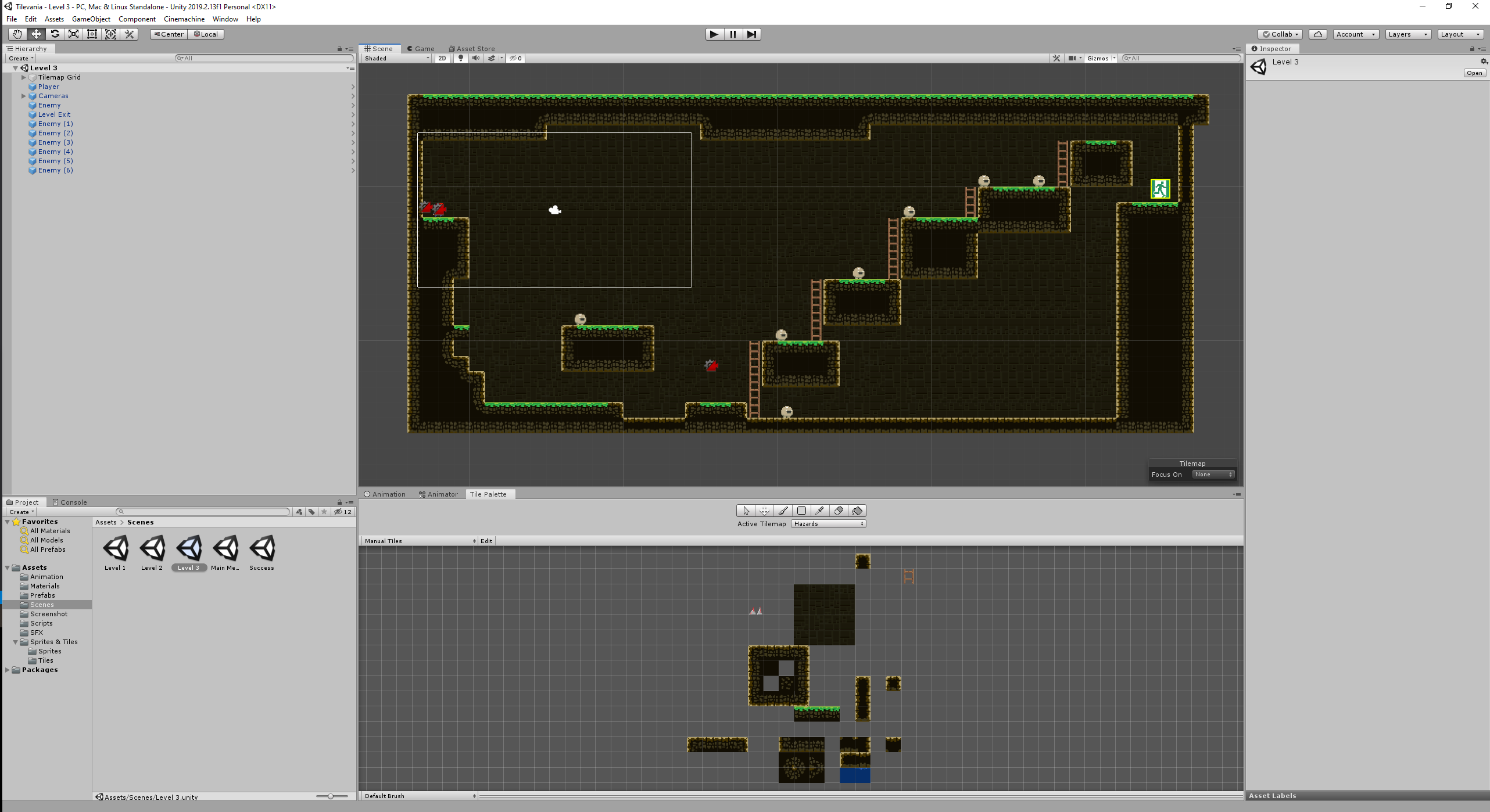 Tilevania in the Unity UI
This was the closest I’ve come to making a Mario clone. My favorite part of the development process was creating the tile editor rules that allows me to drag around the tiles for the foreground and have it automatically determine if it should be a grass piece, dark, or full of rocks. As usual with the games we used to learn concepts for the course, there is a lot left to do to make a fully-fledged game. I made note of a few items in the tickets on the Github page.
Unity 2D Game 5: Glitch Garden
The fifth video game I made in Unity was another clone of a game I spent a lot of time playing, this time as an adult - Plants vs Zombies.
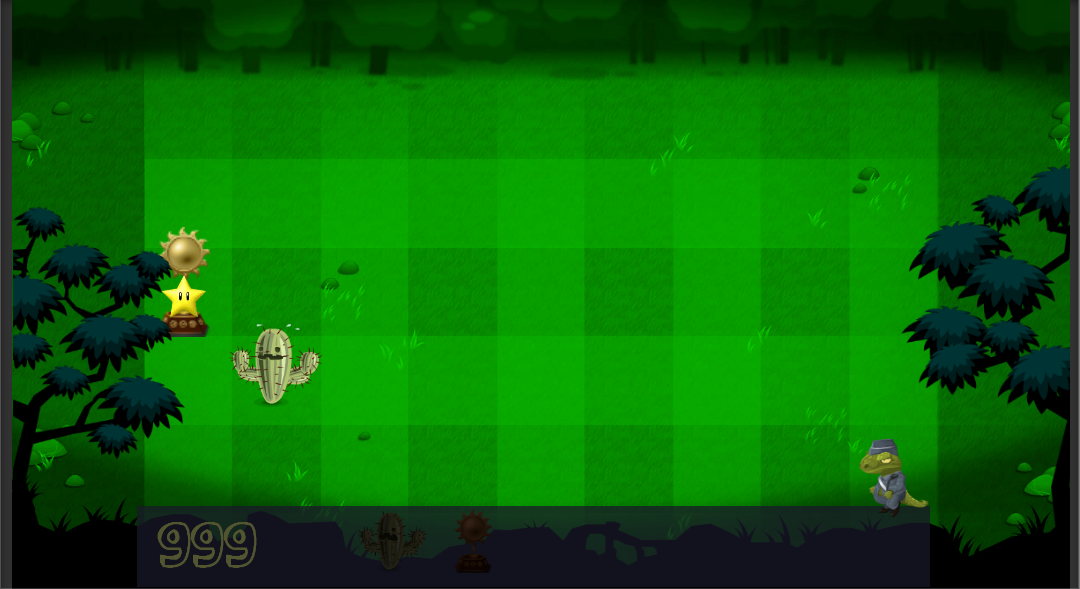 Glitch Garden during development
For comparison, here’s Plants vs Zombies:
Plants vs Zombies
and here’s my finished Glitch Garden:
Glitch Garden
We learned a lot of techniques and reinforced even more, but the biggest thing I learned was how to do Sprite Sheet animation. Having done bone-based animation in Blender years ago, I have to say that in comparison, sprite sheet animation is easy-peasy. The tradeoff is less flexibility - you only have what your artist drew (or you bought or got for free online), but it essentially automates everything about animation.