Today's Programming: Scratch and Python
Scratch
Starting off with this code from the Raspberry Pi foundation, Sam made his first ever video game. I then modified it so the shark would close his mouth when he eats the fish and added a sound at the end when a score of 5 was reached. Here’s a video of Sam playing his game:
Python
For Python I continued to work on writing unit tests for my Extra Life Donation Tracker. Doing so helped me find a few bugs and a few functions that I was able to combine to reduce the code complexity. Overall, this has been a very productive phase for the project, even if it has been very frustrating figuring out how to mock out certain functions like those reaching out to the net or those writing to disk. Depending on what I can do with some help that someone offered me on reddit, I will either go back to the extralife_io.py file to try and finish that one up or I may declare unit testing completed for now and tackle that later when I’ve learned even more about how Python works and how to test it.
Last Three Days of Programming: Python
I’ve mostly been working on version 5.0 of my Extra Life Donation Tracker. Since I adopted the Semantic Versioning principle for the project, an API change means a major version change. I’ve been taking everything I’ve learned about Python programming from 2019 and 2020 and tried to make my code both more Pythonic and more sophisticated. I’m also trying to move towards 100% code coverage. That is to say, I’m looking to try and make sure every line of code is covered by a test. While 100% test coverage doesn’t guarantee perfect code (after all, the test itself could be flawed or I might not be considering corner cases), striving for it usually has a few benefits:
Today's Programming: Ruby and Python
I don’t know how long I intend to keep doing this, but I decided I wanted to document my programming as I went along. So yesterday I worked on Scratch and here’s today’s entry.
Ruby
A while ago I got a bunch of kids’ programming books in a Humble Bundle. I tried showing Ruby to my oldest, but I did it one year too soon (she wasn’t yet reading as well as she is today and couldn’t type as well as she can today) so for now she’s not into programming. But I was curious to see how it was presented since the book uses a story to present it (quite different from the Python book in the same bundle). Went through chapter 2 today and, so far, it seems that Ruby is pretty readable like Python is. That said, I’m not sure puts makes more sense than print, but maybe if I delve into the history of Ruby, I’ll understand why it’s puts? The author of this book uses snake case for variable names. I wonder if that’s because it’s the Ruby standard to use snake case instead of camel case or just to make it easier for the kids following along. I *did* really like the built in next and pred methods on numbers. Definitely more readable than a var++ or var = var + 1. Or rather, if you don’t have decades of programming experience (as I do), I think it’s just a faster bit of cognition to see var.next and understand it vs the older ways of doing the same thing.
Today's Programming: Flowers in Scratch 3
First of all, if you’re a Linux user and would like an offline version of Scratch 3, you can get it from https://scratux.org/. They make binaries for a few Linux distros plus an AppImage which works on any of them. On the Raspberry Pi Blog I saw that this week was about making art on the computer. So Stella and I went through the tutorial for making flowers in Scratch. Here’s what the code blocks looked like:
Coming Full Circle: Contributing to the Python Project Matrix-Nio
Somewhere around 15 years ago, I started learning Python because I’d gotten deep into genealogy and started using the free and open source project Gramps. As I was also pretty deep into free software (somewhere around that time I became a supporting member of the FSF for a few years - and I think my smile.amazon.com still donates to them) I got interested in the idea of helping projects by contributing code. Python seemed like it wasn’t too hard to learn (compared to C++), so I started learning. I never did end up contributing to Gramps as I found GUI programming incredibly hard. In fact, it was something like 6 years ago before I created some useful GUIs (that weren’t copied out of tutorials) and only last year that I started making good, competent GUIs using the QT toolkit.
My Photostats Python Program
11 years ago (HOLY MOLEY WHERE DOES THE TIME GO?!?) I wrote about Jeffrey Friedl’s LR Stats plugin. As you know if you’ve been around my blog for a while, I love stats! It’s the biggest reason I do my end of year posts with my music, reading, and video game stats. Well, I haven’t used Lightroom for a few years now, and for some reason I was inspired this past weekend to recreate this ability. So I started on photostats, which will present a lot of the same stats that his Lightroom plugin does. On the plus side, my Python program is app-agnostic!
PyCharm 1 week Update
I’ve been using PyCharm for about a week now across a couple projects. I’d like to note a few things I’m really enjoying:
- PyCharm is aware of your venv config and you can use it to pip install new packages. Ok, so pip is easy to use for installing. But it also provides a quick at-a-glance view of the packages you’ve installed and their versions - and I find it easier to view than a pip freeze.
- I know KDevelop has this for C++, but it doesn’t really have the same support for Python - being able to run my Python files from within PyCharm as well as being able to run the debugger from within PyCharm is like how new cars unlock for you when you get close. It’s not necessary. It’s not even that huge of an improvement. But it’s a quality of life thing that you miss when it’s not there.
- PyCharm is very smart about git. With KDevelop, I could add files withink the GUI (which is nice for making sure the project is aware of the file and provides a quick visual cue). But then I had to remember to git add it (either in the GUI or on the commandline). With PyCharm, every time I add a file through the GUI, it asks me if I want to add it to version control.
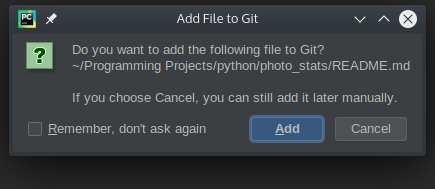 PyCharm asking if I want to add the new file to source control
Programming Tools Q12020
I decided to document the tools I’m using for development since the various programming subreddits I frequent always have someone asking what tools they should be using.
IDEs/Editors
Linux
As I wrote in September, I’ve moved to using KDevelop for my larger projects.
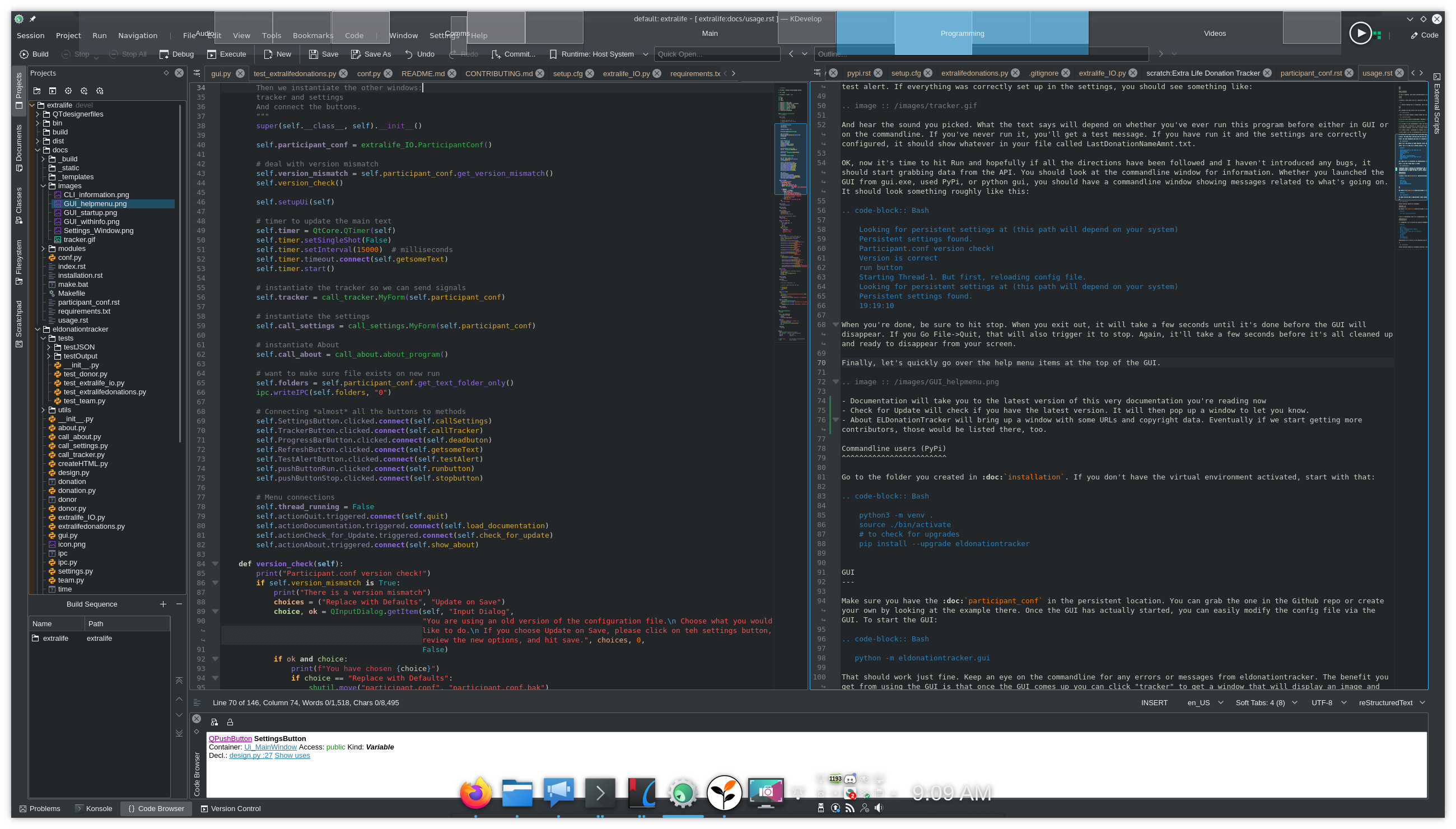 KDevelop
Its built-in Python parser (working with flake8) has helped me find a lot of issues before getting to the stage of running flake8. The GUI for pushing commits to git has been very helpful in helping remind me what has changed and even (sometimes) noticing something I forgot to add to git. Its project-wide search has been invaluable when refactoring or renaming functions/classes. When it comes to large, complex programs, it’s hard to beat KDevelop when using KDE. That said, it’s only recently that the developers have started focusing away from being only a C++ editor and as you’ll see at the end of this blog post, for my Python workflow, I might be switching away.
Hey, Pycharm, hey.
Back in September I wrote about moving to KDevelop for my larger Python projects and also staying with Kate for my smaller projects. I’ve REALLY been enjoying all the features as I work on more and more complex packages involving lots of files. But for a few episodes of Python Bytes now (and/or maybe Talk Python to Me - they share a host) they’ve been talking about how awesome it is to use an IDE that has a Python debugger built in. It may be that KDevelop has that ability (I’m pretty sure it does for C++), but I’m not sure. I am nearly certain that Pycharm does have a debugger built-in. A while ago I’d set up the Pycharm COPR repo on my laptop. I tried playing with it a little at the time, but I was coding on a very small project without a venv, so things didn’t work out well. (Pycharm is pretty opinionated about the way a Python project should work)
EL Donation Tracker (v4.1.1)
It’s been 5 months since I last wrote about ELDonation Tracker, my software for tracking Extra Life donations for use during a livestream or VOD. I’ve been quite busy since then! First, I used Github pages to make a site for the software to make it a little easier for those who are just users and don’t intend to do any development. They don’t have to navigate Github to try and figure out how to get the program and use it. Then, by reading Serious Python I learned about Sphinx, which can automatically create documentation out of your docstrings. I also learned that all these “readthedocs” pages I’d seen springing up with all the projects I care about were leveraging the fact that readthedocs.io will use your Sphinx documentation to create hosted documentation. So now I have some great documentation for my software. Finally, it’s my SECOND bit of software to go up on PyPi: