Tutorial: Geo-Tagging Your Photos
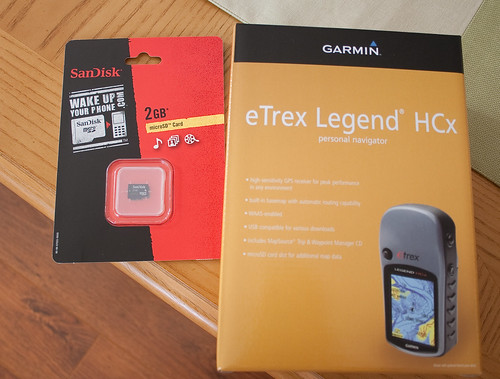
My new GPS unit for geo-tagging my photos and a “holy-cow-that’s-insanely-small” memory card for it by DJOtaku, on Flickr
Recently I was listening to The Command Line Podcast and the host mentioned one way to help others is to write up a tutorial on your blog whenever you learn a new skill or task. Since the information I needed for geo-tagging my photos was fragmented, I decided to write up a tutorial following my workflow. I’ll break this up into the different phases involved.
Getting into Geo-Tagging
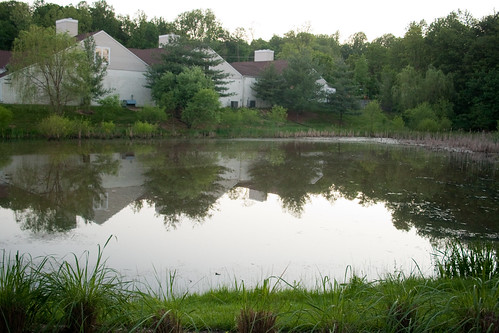
My First Ever Geo-Tagged Photo. by DJOtaku, on Flickr
(I originally wrote most of this on Thursday, 21 May)
I can’t explain to you the thrill and excitement I get from geo-tagging my photos. I don’t mean that the thrill is so large as to defy explanation; rather that I can’t articulate what it is about geo-tagging my photos that excites me so much. Perhaps it’s the fascination of two different technologies coming together. Maybe it’s the age-old excitement of being able to point to a map and say “I was there!”, only this time you have the EXACT coordinates and you have photographic proof. All I know is that ever since I resolved to get a GPS device to work with my cameras, I’ve been anxious to get my hands on the device. Officially, it’s an anniversary gift from my wife, and I think it will be one of the ones I enjoy the most.
Starting New Projects

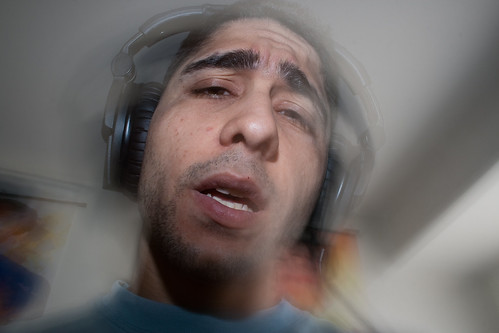
Day Fourteen: “You Told Me You Were Clean” by DJOtaku, on Flickr
It’s been 16 days now since I started taking part in flickr’s famous 365 Project. Well, flickr has many of them, but the most famous one most people partake in is the one where the photographer takes 1 self-portrait per day for 365 days. The reason for the popularity in the self-portrait 365 project is probably due to two properties of said project. First of all, by forcing the photographer to take self-portraits you remove the photographer’s block that can come from thinking of a subject every day. Since you know it’s always going to be you, you don’t need to worry about what to photograph. On the other hand, self-portraits contain a challenge in that you have to pre-frame your shot and then get in it. At the moment the shutter clicks you are no looking through the viewfinder. I’ve found it to be a great exercise in creativity because it wouldn’t be fun for myself or my viewers if they were all just shots of me sitting or standing in front of a wall. I’ve only begun to scratch away at the limits of my creativity, but the house has gotten in the way; more on that shortly. I think my most creative shot thus far was on Day 14 and has to do with Swine Flu. Depending upon whether you are reading this shortly after posting or years later - the Swine Flu [near] Pandemic of 2009 was one of the biggest stories of the second quarter in 2009. It’s been on the news almost nonstop for the past week and so I had to try and do a topical 365 shot. I’m pretty happy with the result. Follow my progress in the 365 project by visitng my 365 se t.
B&H Evenspace Presentation: Travel Photography
B & H Event Space by DJOtaku, on Flickr

Ray Getting Ready to Speak by DJOtaku, on Flickr
So the first B&H Event Space lecture I ever went to was earlier this April in a class about Travel Photography taught by Rudy Winston, an employee of Canon. His lecture was about taking a vacation specifically to get certain photos. In other words this was not about improving your photography while on vacation with the rest of the family. However, I found that a lot of the tips worked equally well for either kind of trip. Another key part of his lecture was taking pictures with the intention of loading them into a slideshow program as a means of sharing it with others. Before beginning the lecture, Rudy showed his slideshow and here’s what I picked up from that.
Some oddities in Most Viewed Photos of the Day
So I’m looking over yesterday’s most viewed photos and I am seeing pictures that make sense - the baseball pictures I’ve been uploading for the past 3-4 days.








Choosing a Lens
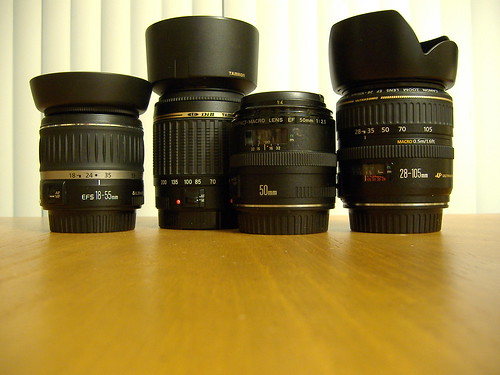
Canon System Lenses by DJOtaku, on Flickr
Wednesday I wrote about choosing the right camera. Today I wanted to write about choosing lenses for your dSLR. Just looking at the entire range of lenses available for a Canon EOS camera there are lenses from $89 all the way up to $8,000. You might see two lenses that go from 28-105mm, but one is $200 and one is $1,200. What’s the reason for the difference? I hope to demystify all of this with some knowledge I wish I’d posessed when I first entered the world of dSLRs.
Choosing the right Camera
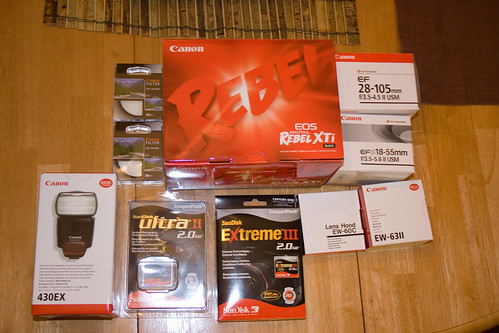 What should I buy?
I often see many people asking online how to choose the right camera. They are bombarded with all the megapixels and various features on offer and they have no idea what to get. And usually the retailers (Best Buy, Frys, etc) try and get you to buy more camera than you need. So what should you buy? I’ll try and guide you with this blog post.