LXC Project Part 2: Setting up LXC
I’m continuing on from yesterday’s post to get the VM ready to host LXC. I’m starting with Centos 7 so the first thing I had to do was enable the epel repos:
yum install epel-releaseThen, according to the guide I was following, I had to also install these package:
yum install debootstrap perl libvirtThat installed a bunch of stuff. I also get that they’re trying to break out what they’re doing, but they probably could have installed both that and the LXC stuff below in one blow:
LXC Project Part 1: Bridging the Connection
As I mentioned before, I’m looking at Linux Containers (LXC) to have a higher density virtualization. To get ready for that, I had to create a network bridge to allow the containers to be accessible on the network.
First I installed bridge-utils:
yum install bridge-utils -yAfter that, I had to create the network script:
vi /etc/sysconfig/network-scripts/ifcfg-virbr0In there I placed:
Potential Fedora 25 KDE Login
I updated Rawhide and ended up with this login screen. I like it - I think mostly because of the font.

Setting up Multiple Monitors in a KVM QEMU VM
I created this video to help people learn how easy it is with Libvirt, KVM, and QEMU to have multiple monitors in your virtual machines.
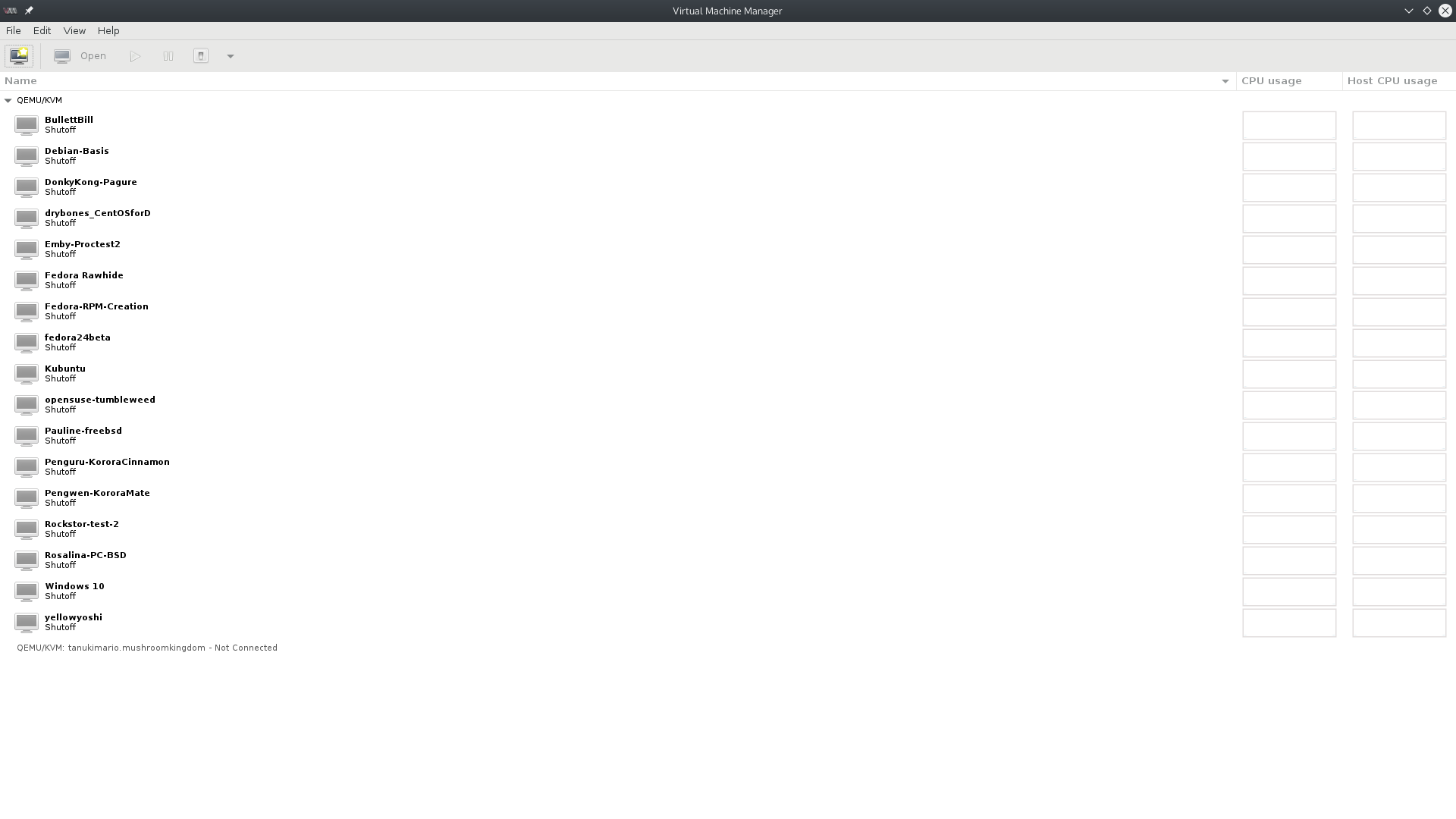
Current Virtual Machines
Going to do some summer cleaning on my VMs, so I wanted to document peak KVM as a reminder of how many I had running at this time:
Using Flatpak to install LibreOffice on Fedora 24
After someone told me that a PDF I’d created in Calligra Office was illegible and having issues with spreadsheets loading slowly, I decided to install LibreOffice. However, rather than go with the version in the repos, I decided to go with Flatpak - which allows for a more advanced version via the usage of runtimes. First, I had to install Flatpak:
sudo dnf install flatpakThen I needed to install the runtimes. The LibreOffice page uses the –user tag, but I think that is just for installing it just to yourself rather than for the whole system. So I am omitting that.
SuperMario is at Fedora 24
My main computer is now on Fedora 24. This time around I only had to uninstall HDR Merge (which was from my COPR and I hadn’t built a Fedora 24 version yet) and OBS-Studio because there isn’t a Fedora 24 package for it yet. Not bad.
After rebooting, I didn’t have graphics. Then rebooting once more kicked the akmod into gear and now things appear to be working well. 2 more computers left to upgrade to Fedora 24 - the VM server and the Kodi living room box.
Fedora 24 is out!
Fedora 24 was released yesterday. I updated Daisy, my big laptop, first since it’s not critical. If the update broke something I wouldn’t care. The only hitch it had was that I had to reinstall the RPMFusion repos from the RPM for Fedora 24. Otherwise it was saying that one of the packages wasn’t signed and refused to do the upgrade. Probably has something to do with the fact that for the last release or two, RPMFusion wasn’t exactly in the best of conditions. I’m currently updating my netbook (Kuribo), but that’s more of an all-evening affair since it’s just running on an Intel Atom. There are three more Fedora machines in the house - SuperMario, TanukiMario, and BlueYoshi. I’ll probably save the livingroom Kodi (BY) for last since everyone in the house uses that to watch TV.
Exploring Rockstor
I’ve been looking at NAS implementations for a long time. I looked at FreeNAS for a while then OpenMediaVault. But what I really wanted was to be able to take advantage of btrfs and its great RAID abilities - especially its ability to dynamically expand. So I was happy when I discovered Rockstor on Reddit. Here are some videos in which I explore the interface and how to work with Rockstor using a VM before setting it up on bare metal.
A look at the many flavors of Korora
It’s been a long time since I looked at a new Linux distro. Long time readers know I used to review Linux distros a few years ago. But one of the maintainers of Korora posts to the Fedora Planet feed. (They may say constantly that RSS feeds are dead, but some of us still use them!) Korora (which used to be based on Gentoo) aims to create the ultimate desktop user’s Fedora setup. So they tweak Fedora a bit and add some repos like RPMFusion out of the box. Since I do a lot of this every time I install Fedora anyway, I may want to just install Korora next time I do an install. So I wanted to look at Korora and also use it as a chance to take a look at what’s going on nowadays in the non-KDE/Plasma desktops. Also, since Korora 23 should be coming out within the next month or so, it should help me see how Korora upgrades compare to Fedora (*should* be the same). First the install: