Second Followup to Podman and PHPIPAM
Turns out that on my Fedora 30 VM something got screwed up with the CNI networking (the networking that Podman uses) and instead of pointing to the address that Podman is using according to Cockpit:
10.88.0.1
It’s pointing somewhere else. I found that via iptables -L. Not sure how to fix it, though. When I tried, it complained:
“`87-podman-bridge.conflist’ not found”
But changing the hostname environment variable turned out to be the solution as I tested on my Fedora 31 VM:
Followup to Podman and PHPIpam
Adding the –name mysql - it wasn’t enough to get the PHPIpam apache container to find the mysql container. They’re in the same pod, but something’s not quite right. So I decided to see if I could modify the config.php by mounting the container and modifying that.
# podman mount beautiful_gauss
/var/lib/containers/storage/overlay/5a33decc2cfad7e9bda5f9048d94a814267d954e97d5dd7befb057a84367f27a/merged
While this allowed me to see the config files and open them in vi (not included in the container) I could not modify the contents. I think the key is passing “phpIPAM5” (or whatever the pod is called) into the MYSQL_ENV_MYSQL_HOST environment variable. So let’s try that. First, I had to stop phpIPAM5. I’ve been using
Every once in a while the puerile makes me laugh
Like these random container names that podman generated:
# podman ps
 CONTAINER ID  IMAGE                               COMMAND               CREATED        STATUS            PORTS                 NAMES
 b83a26bb2c5d  docker.io/library/mysql:5.6         mysqld                2 minutes ago  Up 2 minutes ago  0.0.0.0:8081->80/tcp  hungry_wilson
 f35ec64d3b3c  docker.io/pierrecdn/phpipam:latest  apache2-foregroun…  2 minutes ago  Up 2 minutes ago  0.0.0.0:8081->80/tcp  nice_johnson
Makes me think perhaps there should be a list of adjectives and names that shouldn’t go together?
Daisy (laptop) upgrade to Fedora 31
When I tried to upgrade the laptop a couple days ahead of the Tuesday release date, assuming that the sources were as good as gold at that point, the upgrade process complained about the Kdevelop Python plugin and didn’t want to proceed. I figured if this persisted past Tuesday I would just use it as an opportunity to try out PyCharm Community Edition. But once Tuesday came around I was able to upgrade to Fedora 31 with nary a problem. So that was probably the smoothest upgrade I’ve had since Fedora Core 1.
Fedora 31 is coming; Getting on Fedora 30
Back when Fedora 30 came out, I updated my laptop, but I left my main computer and the HTPC on Fedora 29. The former because I was busy with something at the time and didn’t want the disruption of an upgrade; the latter because the family depends on it for entertainment. However, with Fedora 31 coming out next Tuesday, the support window of Fedora 29 is over. The HTPC didn’t give any issues when I started the upgrade (at of this time it’s still running the upgrade), but my main computer did. This time it complaint about ripright and whois-mkpasswd.
Kdenlive Evolution
I was having an issue with Kdenlive while rending my most recent tutorials for my Extra Life Donation Tracker and so I grabbed the latest Appimage version since it’s more up to date than the version in the Fedora 29 repos. Boy has it changed in the last year or so. Here’s the version in the Fedora 29 repos:
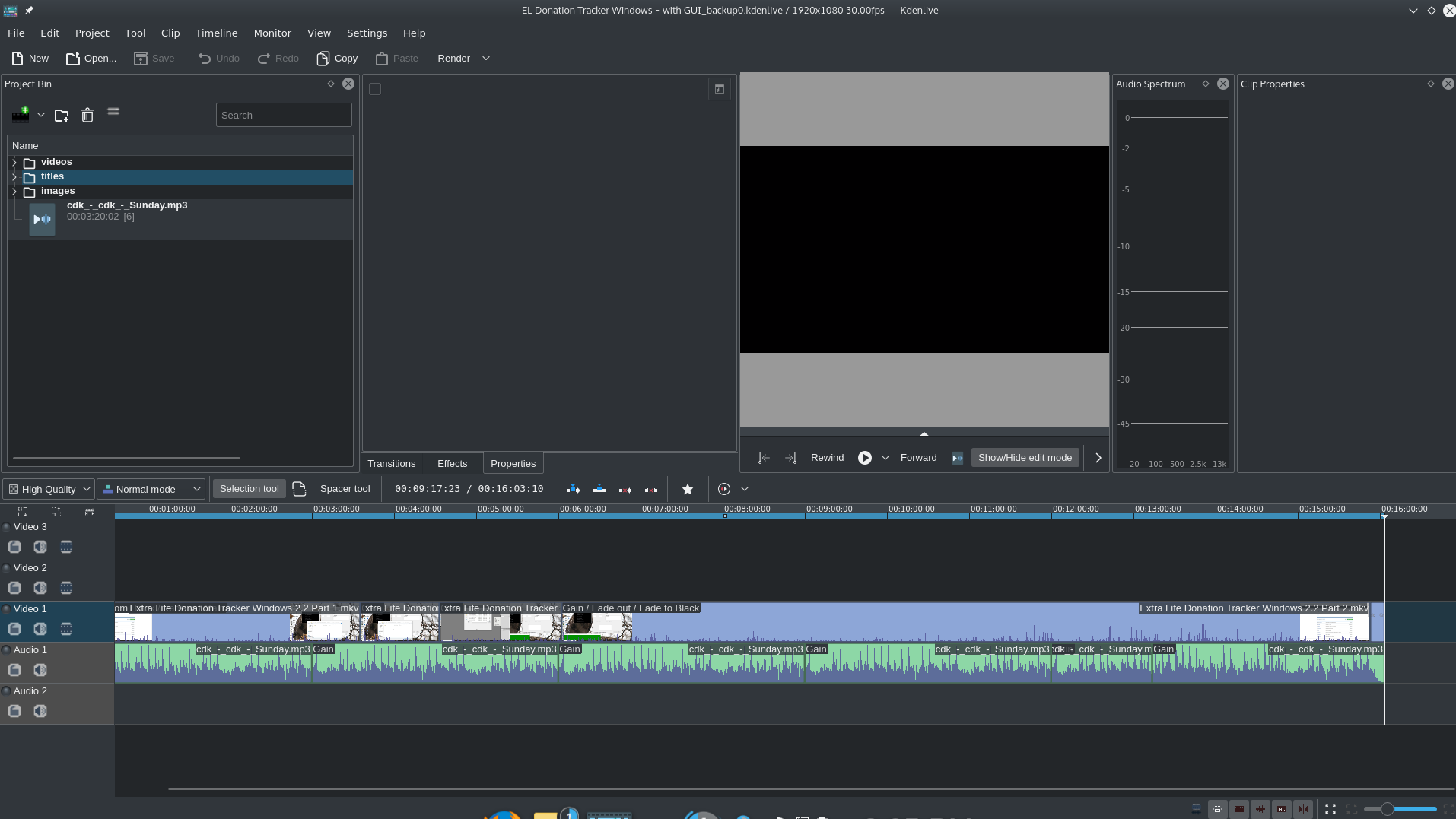 Kdenlive 18.12
And here’s the latest release with the exact same file open:
Red Hat Summit 2019

Red Hat Summit 2019 was my first Red Hat Summit. I heard quite a few people saying it was the largest one they’d been to yet and that it used to be a pretty small convention. That was not the case this year; it used up the entire Boston Convention Center. I’ve said before, concerning video games, that the best use of trophies and gamification of the meta-game are to get the player to take actions they wouldn’t normally take. Red Hat did a pretty good job of this during the summit. They provided points for filling out session surveys, which most wouldn’t have done otherwise. They also provided points for posting to the convention’s feed. I normally wouldn’t have, but reaching 1000 points netted the player some money towards merchandise at the RHEL store. So I posted about getting my custom t-shirt. This led others to comment on my post to find out where it was taking place and I was able to direct them there.
Update of Experience of CentOS 7 on Acer Aspire One D255E
CentOS continues to impress me with its performance on my netbook. It had never been able to properly suspend to RAM and wakeup. But while I was at Red Hat Summit, I could close the lid for it to suspend and then go to the next session and open it up and just tap any button to wake it up. It was GREAT.
Upgraded Laptop to Fedora 30
Now that I’m back from Red Hat Summit, I am ready to start upgrading my Fedora computers. Well, probably not the server or the living room HTPC - I’ll take advantage of the fact that Fedora supports the n-1 release to reduce headaches and downtime. As I’ve done for a few releases now, I used the dnf upgrade facility and it worked fine. So far things seem to be working as they should. I got a weird error that said vmlinuz-5.0….. crashed, but given that it was a .fc29 package, I’m going to let that slide for now unless it turns out that things start acting funky on the laptop.
CentOS 7 works on Acer Aspire One D255E
Often people try and dissuade you from installing CentOS onto a laptop because they say the chipsets on the laptops are so varied it’s likely you will end up unable to use your laptop because the drivers aren’t there. Well, I don’t know if it’s because this netbook is so old (I mean, netbooks as a category don’t exist anymore - having been supplanted by tablets) or just uses common chipsets, but when I ended up with some Fedora configuration error that I didn’t want to bother debugging (I hate using the netbook on an everyday basis because the keys are too small and the screen is pretty low resolution), I figured it’d be a fun time to test if I could install CentOS on there. During the installation GUI the trackpad worked fine and WiFi connected just fine as well. So if you’ve still got one of these lying around and prefer the longer support windows of CentOS / RHEL - feel free to install CentOS on there.