Changing the Acer Aspire One OS again
As you know, I had CentOS 7 on the Acer Aspire and it was working fine. After CentOS 8 came out, I went ahead and installed it there. It worked fine, but there aren’t as many packages in EPEL for CentOS and RHEL 8. I went on a journey to try and get the i3 window manager working, but I would have had to recreate way too many packages in order to get it to work. So I tried to go to Ubuntu. I couldn’t find a minimal installer that wasn’t for servers, so I went with the Kubuntu install, intending to use that to install qtile or another tiling manager (the resolution on this thing is just too atrocious for a real Window Manager or Desktop Environment). But Kubuntu was just insanely buggy - probably due to the low specs of the netbook. Also, apparently qtile had been knocked out of the Ubuntu repos. The qtile documentation implied it was still available in Debian, so I put Debian on the netbook using a minimal install where I went ahead and install LXQT just to be on the safe side and have some kind of GUI if things didn’t work out. At first wifi wasn’t working, but eventually I landed on this page which explains all the quirks of installing on the Acer Aspire One. I had to enable the non-free repos and install the broadcom-sta-dkms driver. After a reboot, I finally had wifi. Unfortunately, qtile isn’t in the Debian repos anymore either. So I’m going to give installing from pypi a shot and if not, maybe try Arch?
Upgrading main computer (Supermario) to Fedora 32
It’s been about a month since Fedora 32 was released, so I decided to try and upgrade Supermario to Fedora 32. First I had to disable the dropbox repo since they don’t have a Fedora 32 binary yet. Other conflicts included:
- bat in module
- gimp in module
- meson in module
- ninja in module
- pythnon3-pytest-testmon (doesn’t belong in a distupgrade repo)
- python2-beautifulsoup neds python2-lxml
The python ones are no-brainer to me. I use virtual environments now so I don’t care about the system libraries. I can get rid of those.
So Long Katello Foreman!
Last year when I went to Red Hat Summit, I saw a lot of use of Satellite. I’d tried the 5.x series’ upstream Spacewalk and it didn’t quite work out for me. But this time I would try it out, gosh darnit! I mean, with the Katello plugin it would even include Pulp, which I’d been interested in trying out before because it could cache RPMs during an upgrade. So I’ve been messing with it here and there. However,I don’t use Puppet scripts (it’s like Chef or Ansible in principle) and I don’t have the need to provision new machines or VMs (especially when that’s already pretty easy with Cockpit and/or Virt-Manager). It’s already easier and works more consistently for me to keep track of whether my computers are up to date (and update them if not) with Cockpit. The RPM caching part of it was neat, but recently it stopped working consistently. Upgrades are VERY fragile and messing up on installing a plugin could bork the whole system. Also the necessary files - puppet, katello-agent, etc were always behind in providing packages for Fedora. Turns out it was a bunch of extra work and frustration just to keep track of my computers - and I was already doing that in Dokuwiki.
Upgrading my Katello-Foreman-Managed RPM build VM to Fedora 32
Because I have this VM registered to Katello (Foreman plugin) to receive updates (basically as a way of both keeping track of the computers and VMs on my network and also to have a GUI to pulp for caching RPMs), I had to deal with Katello-Agent. The latest RPM in the official Foreman/Katello repos is unfortunately for Fedora 29. That version of Fedora has been out of maintenance for a long time. Maybe Foreman (upstream for Satellite) is just used by most of their customers for RHEL sites that don’t have any Fedora nodes? So I did find this copr that provides updated versions: https://copr.fedorainfracloud.org/coprs/slaanesh/system-management/
Ubuntu 2020.04's Server Install
As I mentioned in my k3s on Ubuntu 2020.04 post, I really thought that Ubuntu 2020.04’s server install was prety slick. I’m used to text-only server installs looking like this:
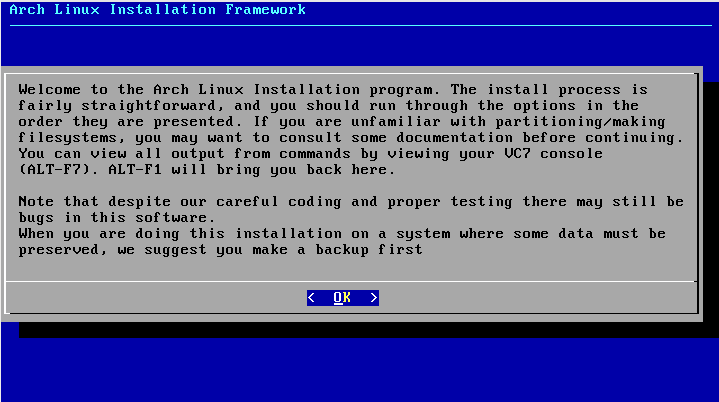 Arch Linux Installation Begins
Here’s a step-by-step collection of screenshots and my thoughts on each step of Ubuntu 2020.04’s server install:
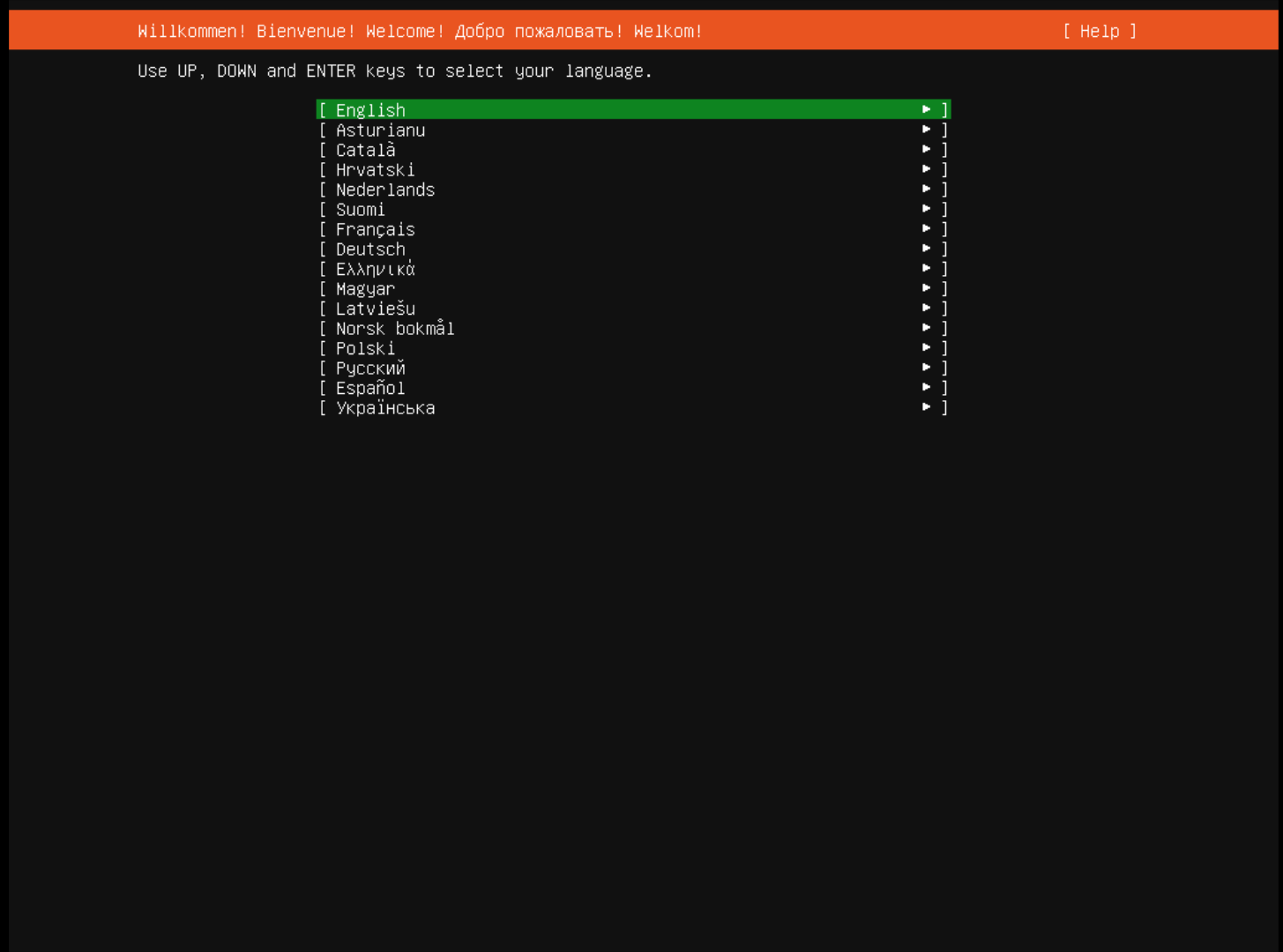 Language Selection
Just starting off, with the language selection, you can see this isn’t the usual ugly ncurses install. It looks like a beautiful matte black.
Checking out k3s and Ubuntu Server 2020.04 Part 2
Clearly there’s a lot I don’t get about Kubernetes and I didn’t install a GUI in that VM so I can’t use the dashboard (which can only be viewed at localhost - or so the instructions seem to indicate) So I decided to go back to basics and look at the Hello Minikube tutorial, but run it in my k3s VM.
kubectl create deployment hello-node --image=k8s.gcr.io/echoserver:1.4So I think this is the first part of why I was having problems yesterday with the pod I created from Podman. A lot of the commands I saw online implied a deployment, but I hadn’t created one. This is evidenced by:
Checking out k3s and Ubuntu Server 2020.04 Part 1
As I’ve been working on learning server tech, I’ve gone from virtualization to Docker containers and now Podman containers and Podman pods. The pod in Podman comes from a view towards Kubernetes. I moved to Podman because of the cgroupsv2 issue in Fedora 31 and so I figured why not think about going all the way and checking out Kubernetes? Kubernetes is often stylized as k8s and a few months back I found k3s, a lightweight Kubernetes distro that’s meant to work on edge devices (including Raspberry Pis!). For some reason (that I don’t seem to find on the main k3s site), I got it in my head that it was better tailored to Ubuntu than Red Hat, so I decided to also take Ubuntu Server 2020.04 for a spin.
Fedora Silverblue as an HTPC Part 3
Yesterday I mentioned some issues with my Ortek MCE VRC-1100 remote and certain buttons not working. Figured out that in addition to removing the XF…. entries in dconf, also have to remove them in gsettings. Specifically, I had to use the commands:
gsettings set org.gnome.settings-daemon.plugins.media-keys stop-static [’’]
gsettings set org.gnome.settings-daemon.plugins.media-keys play-static [’’]
gsettings set org.gnome.settings-daemon.plugins.media-keys pause-static [’’]
After that, everything was working as it should. So far no negatives to using Fedora Silverblue as our HTPC. We’ll see if that changes as I try to get Lutris to launch some Wine games.
Fedora Silverblue as an HTPC Part 2
One thing to know about Silverblue is that it’s a Gnome environment. I was already running Gnome for the HTPC, but I prefer KDE for my computers usually. When I was installing Silverblue there was no option to go for KDE or anything else. On Silverblue you install via Flatpaks. Any regular installs (ostree instead of rpms) also requires a reboot.
A few things to note based on getting Kodi setup:
Fedora Silverblue as an HTPC Part 1
Originally I was going to mess around with Silverblue in a VM before considering using it on my HTPC. In theory it sounded like it would work very well - an immutable, rollback-able OS seems like the perfect thing for the one computer that ALWAYS needs to work for less tech-savvy folks in the house. But the first release of Silverblue seemed to still be a bit rough around the edges. Lots of recent blog posts on Fedora Planet (a blog aggregator for folks who participate in the Fedora project) seemed to indicate that things were in a better place now for Silverblue. Still, I was going to first mess around in a VM. But then I had to reboot the computer after things went awry with the display and this time I wasn’t able to get around the Free Magic issue that had been plaguing me for a few months now since upgrading to Fedora 31 (in anticipation of Fedora 30 being out of the support window). The Free Magic issue basically would appear after the grub menu and while others’ reports on bugzilla seemed to indicate that a kernel upgrade fixed it for them, such was not the case for me. For a while it worked such that if I was there on reboot and hit enter on the grub entry, it would work (while it would fail if you left it to boot on its own). But tonight it would not yield. The computer had gone catatonic. So, I figured it was as good a time as any to try and move to Silverblue. As a bonus, I was going to move the installation to an SSD, so I still have the old, borked installation if things go completely wrong (although I’d still need to fix the Free Magic issue).