Review: Knoppix 6
I first wrote about Knoppix in my original blog in Oct of 2004. I mentioned how awesome it was to be able to test out a live version of a Linux distro. It’s been a really long time since I last checked out Knoppix. Since it was bloated with KDE 3.x and slow to boot I used Damn Small Linux whenever I needed a LiveCD environment. Now that Knoppix 6 is the distro in this month’s Linux Format Magazine, I’m checking it out. It boots into Adriane. This is some strange speech synthesis program that launches different command line programs. (It also reads out loud what all the options are) Turns out if you want to go to a graphical desktop you ened to type “Knoppix” at the boot menu. So I scroll down to “graphical programs” then “start lxde”. Wow! LXDE is truly a lightweight desktop environment. It loads up a LOT faster than Knoppix and KDE used to. The menu loads up very quickly and the programs also load up quickly despite running off of the DVD. The default browser is Iceweasel (Debian’s rebranding of Firefox). The internet works perfectly fine.
The K Release
A few days ago it was announced that the Ubuntu release after Jaunty Jackalope will be known as Karmic Koala. The funny thing is that a few months ago my friends and I were racking our brains for a K adjective and all we could come up with was Keen. I was sure it would be Keen Koala or Keen Kangaroo. The most interesting thing about Karmic Koala is that they will supposedly be considering getting away from brown. Then again, they’ve been going on and on about a new art style for a few releases now. We’ll see what they actually do. I’m mostly excited for the new notification style in Jaunty and to see if/how this will be implemented in Crunch Bang Linux.
Review: Crunch Bang Linux 8.10
(ed note: I actually ended up reviewing Crunch Bang Linux 8.10.02 due to a problem with my 8.10 disc)
I discovered Crunch Bang Linux (#!) through Linux Outlaws. Fab kept talking about how awesome it was. Then more and more podcasts and people on the tubes started talking about it. So I wrote to Linux Format Magazine about having it on their cover disc. They said there was a lot of clamor for it to be on a cover disc, but they couldn’t because it comes with multimedia codecs potentially covered by patents. So why am I breaking my self-imposed rule to only review distros on LXF cover discs? Because one of the most attractive features to me for #! is that it is supposed to load up a lot faster and run faster than Ubuntu. Right now I have Ubuntu 8.10 installed on my laptop. I pretty much only use my laptop for travel (although I do use it in the apartment ever once in a while). So if it boots up and runs faster than Ubuntu, it will leave me with more battery power for when I travel. I already ran the #! liveCD, so I know the wifi card will work. So first off, I boot up Ubuntu to time it and see how much of a savings I’ll be getting. From power on to GDM login screen is 1 minute 1 second. And it’s 40 seconds from login to a useful desktop. (Gnome) So then I install Crunch Bang Linux.
Review: Slackware 12.2
I already tried installing Gento o. Twice. The other Linux distro for the hardcore, for whom the Ubuntus and the Fedoras is too easy, is Slackware. Slackware is, of course, the oldest surviving Linux distro. I’ve already reviewed some distros based off of Slackware such as Zenwalk and Slax. Along the way I’ve come to learn about some of the appeal of Slackware and why people would base distributions off of it. However, it does have a reputation as a very hard distro to install. Fab, of Linux Outlaws, refers to it as the distro for those who “love the pain”. But Slackware has always held a special place in my mind for the quirky reason that I almost selected it as my first distro ( as I recount here). I had no idea that the Slack in Slackware was a reference to the Church of the Sub-Genius. (that’s why the Slackware Penguin smokes a pipe)
Review: openSuse 11.1
After reading through LXF, I tried loading openSuse 11.1 with the failsafe settings and it worked in VirtualBox. So I’ll now be reviewing openSuse 11.1. Here’s the screen as it booted up.
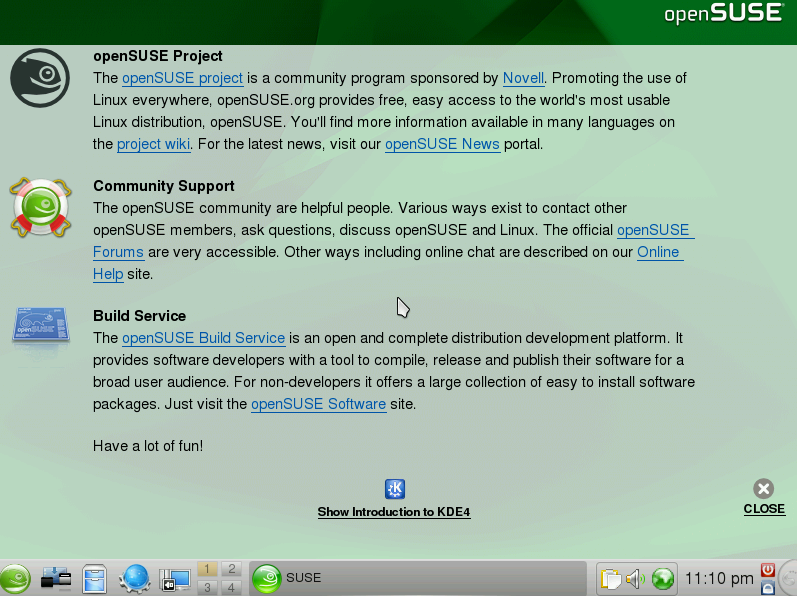
and after it loads up, it gives a nice explanatory screen.
So I last looked at openSuse 11.0 in Aug 2008. I’m not sure exactly how much has changed from 11.o to 11.1. I re-read my old review to get some perspective on what I said last time. Once I’ve gone through a distro at least once, I don’t see a point in repeating myself. Rather I look at how the distro has evolved since last time. Follow that link a few sentences back to see what I originally said about openSuse. As with Linux Mint 6, this time I’ll be evaluating the distro installation process - since I didn’t get to do that before as well as the program installation process. openSuse was listed in my Fedora 10 review as the distro with which to see how awesome KDE 4.2 is - so I’ll be testing that as well.
Review: Linux Mint 6
The latest LXF magazine arrived with Linux Mint 6, Slackware 12.2, and openSuse 11.1. I was originally going to review openSuse, but I have been unable to successfully boot either into VirtualBox or just by booting my computer and running it as a LiveDVD. ( ed. note: I just checked the magazine and they suggested booting in failsafe mode, so I’ll try that out in a couple of days) So, we’ll be starting with Linux Mint 6. I reviewed Linux Mint 5 Light back in July 2008. Since I wasn’t using VirtualBox at the time, I only tested it as a LiveDVD and that may have been the source of some of my problems testing the software installation. Plus this time I can review the installation process.
Review: Fedora 10
This month’s Linux Format Magazine includes Fedora 10. I u pgraded to Fedora 10 a few months ago via a yum upgrade. I started by looking at Xfce as I’ve been using Xfce non-stop ever since starting " I’m Not Mad" in November. Xfce is much lighter than Gnome and I’m able to use Blender more effectively. Fedora 10 comes with Xfce 4.4.3. Overall, nothing major has changed on the surface although I know they’ve been doing a lot of work under the hood.
Blasted!
I had done a second review of Gentoo 2008.0. People suggested I do a completely commandline install and I did. But my blog post got corrupted and I’m not typing that up again. My Gentoo install was unsuccessful anyway. So I fared no better with the commandline than with the GUI install. I’ll give it another shot sometime in the future.
Upgrading to Fedora 10
Now that I have “I’m Not Mad” caught up for the next month, I thought it was an OK time to upgrade to Fedora 10. Unlike with the Fedora 9 release, there haven’t been huge complaints of the upgrade causing the system to become unusable. (Most, though not all, of that came from the version of X.org that Fedora 9 used)
As usual, I followed instructions at https://fedoraproject.org/wiki/YumUpgradeFaq and I started the yum upgrade command at 1852. KDE basket-contact gave me dependency errors so I had to uninstall it. It had been giving me problems with updates as well - I had just forgotten about it. 1854 - started upgrade again. This time a problem with gstreamer - I think gstreamer gives me problems every upgrade. So I remove gstreamer08-plugins. (Which was apparently hanging around from fedora 6). This also got rid of some more gstreamers packages hanging around from Fedora 5. Don’t know why I still had that kruft there, but it’s gone now… 1859 - started yum upgrade again. This time it works! 2.8 GB! Well, it’s certainly the least painful yum upgrade process I’ve gone through yet - at least from this point in the process. The download process seems to be moving along pretty quickly. I guess getting that “fastest mirror” package out with Fedora 9 really does find the fastest mirror. Also, this far out from the Fedora 10 release, there shouldn’t be too many people hogging up the mirrors. What am I looking forward to in Fedora 10? Oddly, not much. Compared to previous releases, there isn’t any one technology I’m very excited about for Fedora 10. Sure, it’ll be nice to have the latest Gnome, but that release is so incremental, I doubt I’ll notice much. The latest KDE MIGHT be enough to finally get me back to KDE. KDE 4.1 was good, but not good enough. Other than that it’ll just be nice to have the latest stuff. Something I can do every 6 months or so with Linux and only every five or more years with Windows.
Review: Mandriva One 2009
Somewhere in the middle of 2008 my wife’s computer kept making very disturbing noises upon boot up. She had told me she would move to Linux when her current computer broke. So I bought her a new computer and loaded Kubuntu on it because she wanted “the version that looks like Windows”. I new she would want KDE for the desktop and I liked Ubuntu’s user-friendliness from when I installed it on my laptop. I had a feeling Fedora would be a bit much for her. She’s not afraid to learn about her computer, but she doesn’t want it getting in the way when she wants to get work done.