Empathy's Still Around....A stalemate
Last time I spoke about Empathy, I was a little disappointed in the project. I really liked Pidgin and it felt like they were being stabbed in the back, even if everything the Empathy team was doing was koser GPL-wise. At the time I didn’t give it a second look because it was still missing a bunch of features. It’s been 2 years, or 4 releases of Gnome, since then and the project has come a long way. It now supports all the protocols that Pidgin does (and more) and everyone seemed to think it was doing a better job of listening to users, etc. Now, this shouldn’t make a huge difference unless I missed something, but I’m reviewing 2.30 as Fedora 14 hasn’t come out yet. I’m sure there wasn’t a massive upgrade or anything. So, first of all, here’s what Pidgin looks like.
Enabling Mediatomb on Fedora 13
I have a HUGE music collection that I’ve taken the time to digitize, so it was bugging me that I couldn’t listen to it on my sound system on the first floor. When I raised the volume on my computer speakers I just ended up hearing a ton of bass. So I took a look around the net and it seems that mediatomb is the program to use. It was in the Fedora repos or maybe the RPMFusion repos. It’s pretty easy. You run it as your user (not root) and it creates a config file. All you need to do is tweak that file to have it say:
Another Look at KDE and Amarok Part 1
As I’ve mentioned before, I used to be really excited about KDE. It’s been a while since I last looked at KDE. Well, technically, I couldn’t really do much there. But there’s this time I was able to look at it. Let me just say that I no longer agree that it’s uglier than Gnome. Take a look:
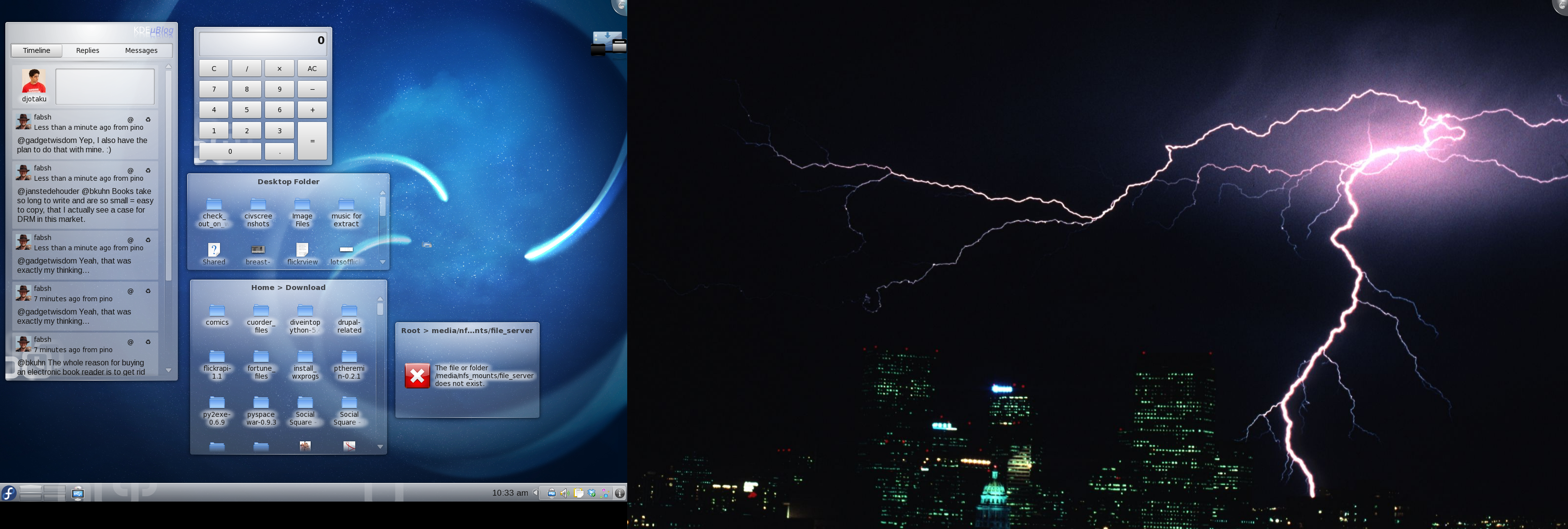
My KDE 4.4 Desktop
At first I was confused because the desktop background was not carried over to my right monitor. When I went to change the background I saw that they no longer put it all into one dialog. You need to go to each screen and manually set the background. While counterintuitive at first, it actually makes more sense this way. You can see my micro-blogging widget, calculator widget, and some folder views. The taskbar is looking nice and slick now. The KDE version of the system try is looking really nice. It has a very good slickness to it; to quote Aaron Seigo, “like something that might come out of Cupertino”. My FAVORITE part of KDE 4.4 vs Gnome 2.30 is the little “i” i the right corner. If you click there you can scroll back through all the system messages. So, whereas you might miss that in Gnome if you’re looking somewhere else or away from the computer, you can easily find and review the messages in KDE. At first the desktop was really slow and I thought “here we go again. I’m going to have to once again write off KDE 4.x as useless.” But it turns out that it was just Strigi/Nepomuk indexing my home folder. It’d be a year or more since I last loaded KDE 4, so it had a lot to index. When I also had some errors with Amarok (which I’m about to get to), I gave it a reboot in case KDE was having a fight with SELinux (as has happened in the past). Anyway, when I came back, Strigi was done and KDE was much more responsive. Konqueror had also been slow during the indexing, so I’ll want to test that in Part 2. I took a look at my old friend, Kopete. It was looking nice, if a bit cartoony compared to Pidgin. I’ll also want to take a closer look in Part 2. It didn’t support Facebook chat (as is supported in Pidgin via a plugin) which isn’t a killer, but it’s not good. Perhaps there’s a plugin there too? I’ll have to investigate that. What I was most curious about was Amarok. It was one of my biggest anchors to KDE back in the day and really my favorite music player.
Leaving CrunchBang Linux for Lubuntu
I first migrated to CrunchBang Linux because they kept talking about it on Linux Outlaws. Specifically they mentioned how fast it was and, if I recall correctly, Fab was using it on his netbook. My laptop battery life was quickly dwindling so, if I wanted to be able to use it on a plane, I needed a fast-booting distro. I enjoyed Crunchbang and the neat way it was setup. I loved just hitting Win-W to launch Firefox. Conky was really neat Terminator was the best term program I’d ever used. But it was getting a little long in the tooth. The most recent stable version was at least a year old if not 18 months old. It wasn’t keeping up with the Ubuntu releases. I was stuck using Firefox 3.0 (or some other such old version) Then came the announcement they were switching to a Debian base. Even if I stuck with CrunchBang, I’d be forced to reinstall anyway. So I decided to give Lubuntu a shot. I knew Ubuntu was too resource-heavy for my crappy battery life. I looked around and Lubuntu seemed to be the lightest - even lighter than Xubuntu. Could it match CrunchBang? CrunchBang took ten seconds from login to usable desktop and about 30 seconds until wifi was up.
A Quick Review: Windows 7
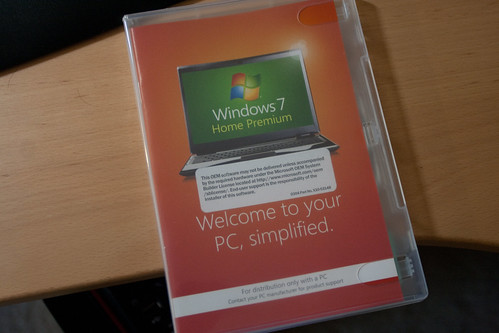
This is the first time in nearly 10 years that I’m moving to a new version of WIndows. I pop the CD in and boot up. I see a text screen as Windows “loads files”.
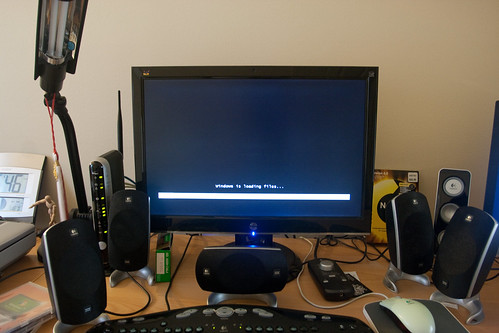
Nothing here different from a Linux distro. Then the Windows logo pops up.
Fedora 13 available!
You can get it here. Once I upgrade I will post a small review on the changes.
Review: openSuse 11.2
I took a look at openSuse 11.1 nearly a year ago and so it’s time to see what’s changed with openSuse 11.2. For those new to my blog, when I review a new version of a distro I’ve reviewed before, I usually just do a comparison to the previous review. Also important to know is that I review distros the point of view of ease of installation and ease of use. While I’ve often been told that I should use a distro for X amount of time before reviewing it, pretty much all Linux distros are the same in day-to-day usage. The only real difference being whether updates break stuff or not. But, since all versions of Linux basically all have the same software, I don’t really see what I would gain from using a distro over a number of days. Also, there are tons of other reviewers that do that. Finally, I only tend to get those comments whenever I’ve said bad stuff about a distro. Whenever I say all good stuff I never get people saying that I should spend more time with the distro or that I shouldn’t use a virtual machine. So, I think there’s something to be said about that. At any rate…let’s get into openSuse 11.2.
Review: Ubuntu 9.10 64-bit

Ubuntu 9.10 liveCD boots up
I last looked at Ubuntu 9.04 a little over six months ago. So I decided it was time to see what has changed. Since I’m now testing on a 64-bit machine, I decided to test the 64-bit version of Ubuntu. So here we go:
Ubuntu 9.10 loading
I like the desktop, it looks pretty good. I liked 9.04 a little better, but there’s nothing wrong with this one.
Review: Tiny Core Linux
The guys over at Linux Outlaws are always talking about Tiny Core Linux because it always seems to be releasing a new version. I was impressed back in the day that Damn Small Linux could have a working Linux distro in only 50 MB. I know that Tiny Core Linux is technically not a full Linux distro, but I wanted to see what all the fuss was about. It came in a recent LXF disc and I decided to check it out.
Review: Arch Linux
I’ve been wanting to try Arch Linux for quite some time now. They seem to have a similar aesthetic to Gentoo in that the main mission of Arch is to build your operating system from the ground up. You only add the things you need. So you don’t have any cruft on your system based on what some other people think you should have. So let’s pop this CD in and see what happens! (I’m also following the directions on http://wiki.archlinux.org/index.php/Official_Arch_Linux_Install_Guide) The disc is the 2009.08 snapshot. I booted into the LiveCD.