KDE Look Part 5: KOffice 2
Back when I first started using Linux I was using a very underpowered computer that I got donated as part of my research at school. So OpenOffice.org was a real pain in the butt to use. It took forever to load! KOffice, on the other hand, loaded up quickly. At that time, with KOffice 1, they had the presentation program, the spreadsheet, and the word processing program.
At the time there were two neat things about KWord that I really liked and they both stemmed from something I was doing at the time. I was the head of the Phi Sigma Pi (scholastic frat) alumni team. We had a newsletter to get out. Turned out that KWord, as it worked at the time, allowed for very easy desktop publishing. I don’t think it was intended to replace Scribus, but when compared to Microsoft Word or OpenOffice.org Writer, it was MUCH easier to set the layout. That made it really easy to create. With MS Word (at least 2000 and 2003) it was SUCH a PITA to try and get images where you wanted to be and to have text properly wrap around it. We had all kinds of issues in this class I took my sophomore year in which we had a tutorial class session on how to do this and it was still horrible to work with. KWord also had the ability to output to PDF which was great as I was trying to help the frat save money by seeing if we could get the alumni to accept emails instead of letters. They ended up rebuffing that offer, but at least it was something I was able to do. (I hadn’t discovered cutePDF and other ways to create free PDFs on Windows)
KDE Look Part 4: Fixing things with a little help from my Friends
Sure, it’s a tired and cliche phrase, but hurray for the wisdom of the crowd. I’ve received comments on identi.ca, twitter, and in the comments here with answers to nearly all my problems with KDE. Let’s see if I can get them all to work. First off, I was told that my problem with Konversation not getting my password in time to keep me from being signed into the fedora-unregistered could be solved by setting the password as a server password. Alright! That worked! woohoo! Before I’d had it set to just run the /msg identify command.
KDE 4 Look Part 3: A Week of KDE 4.5
So I’ve used KDE for about a work week. During that time I’ve pretty much gone to using the KDE versions of all my programs except Konqueror. I’m not sure if the Fedora 14 version of Konqueror is the one with Webkit, but last time I used Konqueror with KHTML it was mucking up a bunch of web pages including my blog. So I stuck with Google Chrome, which is what i use on Gnome, LXDE (Lubuntu on my laptop), and on my Windows 7 install. (Also, I stuck with gPodder for podcasts because that’s working perfectly) So how did it go? First of all, I love the stock screenshot tool in KDE, KSnapshot. I love that lets me choose full screen, region, window under cursor, and section of Window. With Gnome I hit print screen and then I have to edit the png in the GIMP. So it gives me less work for my Linux-related blogging.
The State of Desktop Search on Linux
Desktop search is one of those techs that keeps coming back and never really sticking. At least that’s how it seems to me. Look at how giddy I was about Beagle back in 2006. And I tried it and it was, generally, pretty awesome. It really worked well. It was like the speed of locate without having to wait until the database was updated at midnight. And it could see into IMs, MP3 metadata, emails and office documents. Now? According the the official website it’s no longer under active development. Perhaps that’s because they met all their goals. And that’s fine, but pretty much everyone switched over to tracker around 2008. I’m not quite sure why - perhaps all the anti-Mono hatred that went on. Fedora doesn’t even ship with Tomboy or F-Spot anymore. They’re there in the repos, but they aren’t the defaults.
KDE 4 Look Part 2: Amarok 2.3.2 in KDE 4.5 and Fedora 14
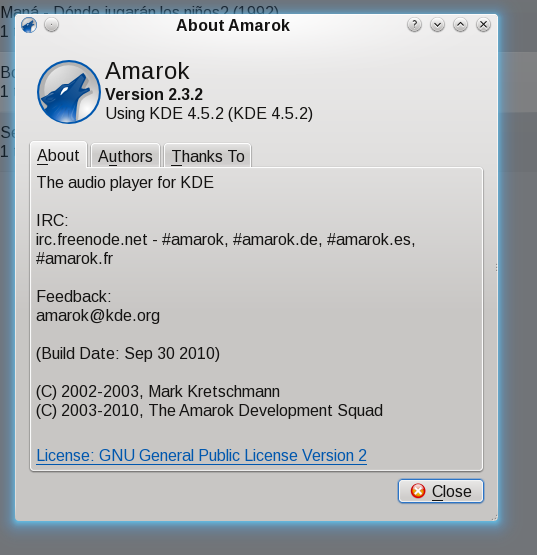
Amarok 2.5.2
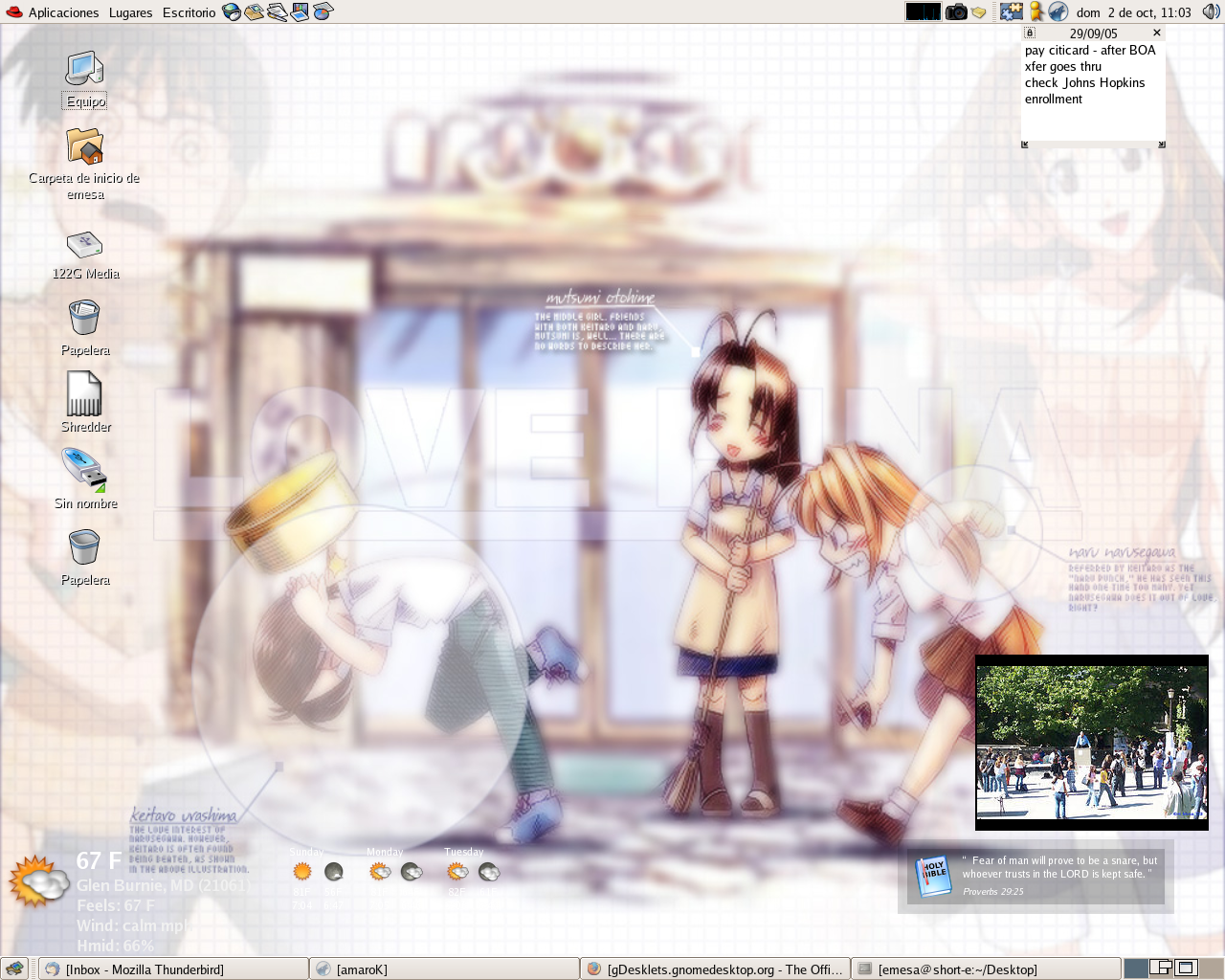
There was a time when I thought Amarok was the best music player on Linux. I even used to run it in Gnome as you can see from this 2005 screenshot. In that first link you can read me gushing over Amarok 1.4. I loved all the integrated technologies, especially the metadata juggling Amarok did. The first few Amarok 2.x releases with the KDE 4 libraries were complete crap. They were ugly and were missing nearly all of Amarok’s features. (Mirroring the complaints people were having about KDE 4 at the time) When I took a look at Amarok and KDE 4.4 in October I said I would take another look at Amarok.
Quick update on my upgrade to Fedora 14
The Gnome panel was acting a little buggy and I was going to report that, but I decided that instead I could load up KDE. I’d been wanting to check it out a little more ever since I took a look in October. But I was unable to open Kontact because akonadi was being annoying. Turns out that the version of akonadi I had installed from Fedora 13 was technically a higher version than the one with Fedora 14. I ran most of the commands on this page after getting the link as advice from fenris in the Fedora freenode IRC room. The most important one was the ??yum distribution-synchronization which fixed that akonadi problem. Kontact now loads up. It’s acting a bit funny with my gmail messages, but I’m sure that can be fixed. So I’m going to have to get back into Gnome to see if the panels are behaving a bit better now. After all, I ended up installing about half a gig of updates tonight as a result of the instructions on that page. This is why, folks, everyone always recommends just going for a fresh install. Upgrades always require a bit more work.
Upgraded to Fedora 14
I just did a preupgrade upgrade from Fedora 13 to Fedora 14. The only hitch is that it didn’t find enough space to download the installer ahead of time so that had to be downloaded after the the reboot. Everything went off without a hitch. My absolute cleanest upgrade ever. Dual screen worked, nothing had to be uninstalled. None of the repos had to be disabled. All my usual programs work. I haven’t tried Blender yet, that’s tomorrow. The first thing I noticed was that the OpenOffice.org icons have changed again. This is the third time, I think,since I’ve been using Linux.
Fedora 14 Installation Process
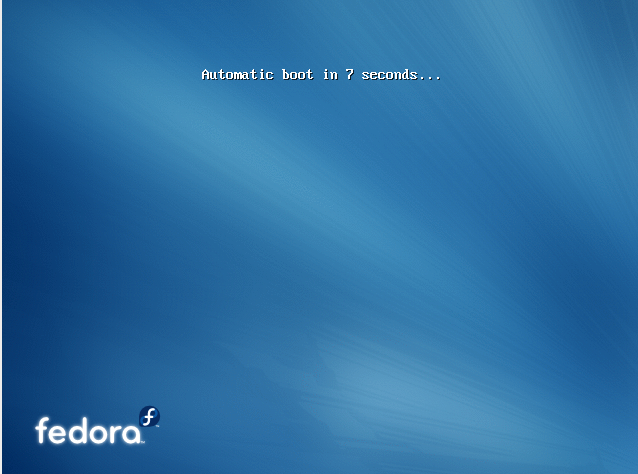
Beginning Fedora 14 Install
It’s been a more than a year since I last had to install Fedora from scratch. I’m installing Fedora 14 into Virtualbox for an upcoming blog post where I wanted to do some stuff I wasn’t quite sure I was ready to do on my main box, so I thought I’d go ahead and blog about the installation. The default artwork is very dynamic and conveys a sense that this is an exciting release.
Fedora 14 Out Today!
Fedora 14 is out today! You can get it from the newly redesigned website. Expect more from me as I explore it. Probably in a couple weeks as I’m extremely busy right now.
PPAs Turning Ubuntu into Arch?
A few years ago I started hearing about ppas everywhere. More and more, I see developers telling people that if they want the latest of program X, they should load the developer’s ppa. A ppa is a repository of software that is neither maintained by Canonical nor the Ubuntu community. In some cases the software available via ppa is also available in the official repositories, just at a much slower pace since distros usually only provide major software version upgrades when they do a full system upgrade. In between they tend to just provide security updates and bug fixes. As usage of ppas grows, the user starts to have a system that is more like a rolling release than a snapshot of Debian’s testing branch. There’s nothing inherently wrong with this, after all, a user’s system should do whatever the user wants it to do. I just wonder if the ever increasing usage of ppas will lead the Ubuntu community to switch to a rolling release style distro. Arch Linux users do enjoy having such a system, but they do admit that it can potentially lead to some instability if you upgrade right away when a new update comes through.