Goodbye Gnome 2!
Fedora 15, which is almost out, will have Gnome 3.0 as its default desktop and since it’s such a radical departure from the Gnome 2.x series, I thought I’d have a post that reminds us of how it used to be and what Gnome evolved to become. So here’s a two screen desktop:
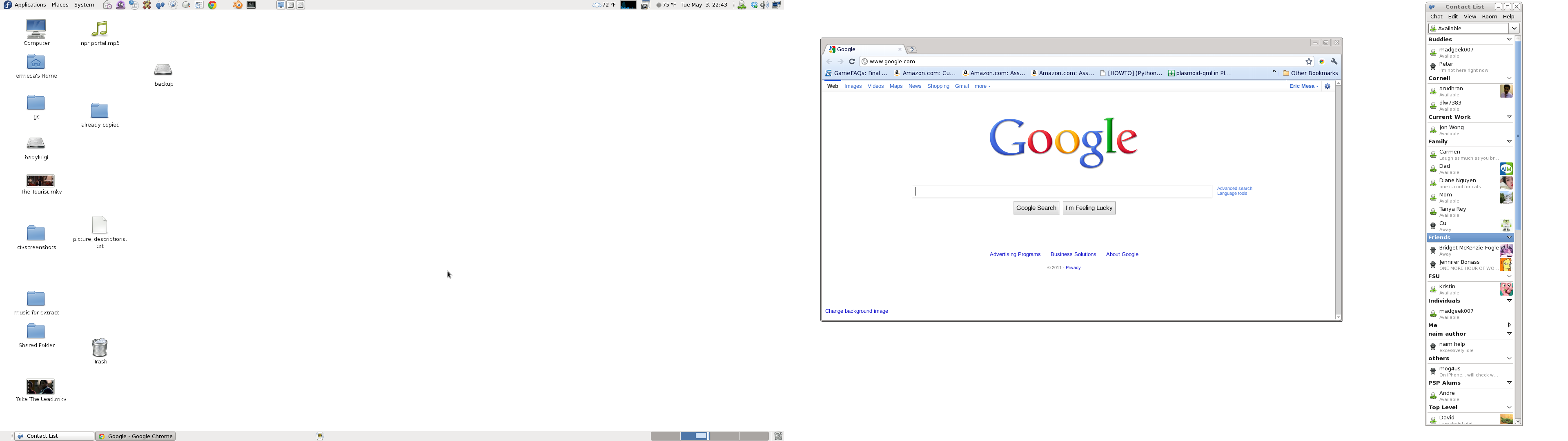
Gnome 2.32 - entire desktop
You probably need to click on the image so that it can be at a useful size. Gnome 2.32 consisted of two panels, one at top and one at the bottom. The one at the top housed menus that we’ll get to in a moment. Next to that are launchers. You could put launchers for all your most-used programs there. Because of that, I almost never went to the menus to launch a program. Over towards the right are panel applets. I have some for mounting and for showing the load on my computer. Then there’s the date/time where you can click on it and get a calendar. This area also had icons for certain types of programs like instant messengers. At the bottom you had the button to see the desktop, the list of open programs, the desktop switcher for the different virtual desktops, and the trash. Also notice that the programs have minimize, maximize and close buttons.
Ubuntu to the Rescue: A Tale of Broadcom Wifi Drivers, Prerelease Software, and a new Acer Aspire One Netbook
note: I wrote this on 17 April, a full week before it is published on the blog
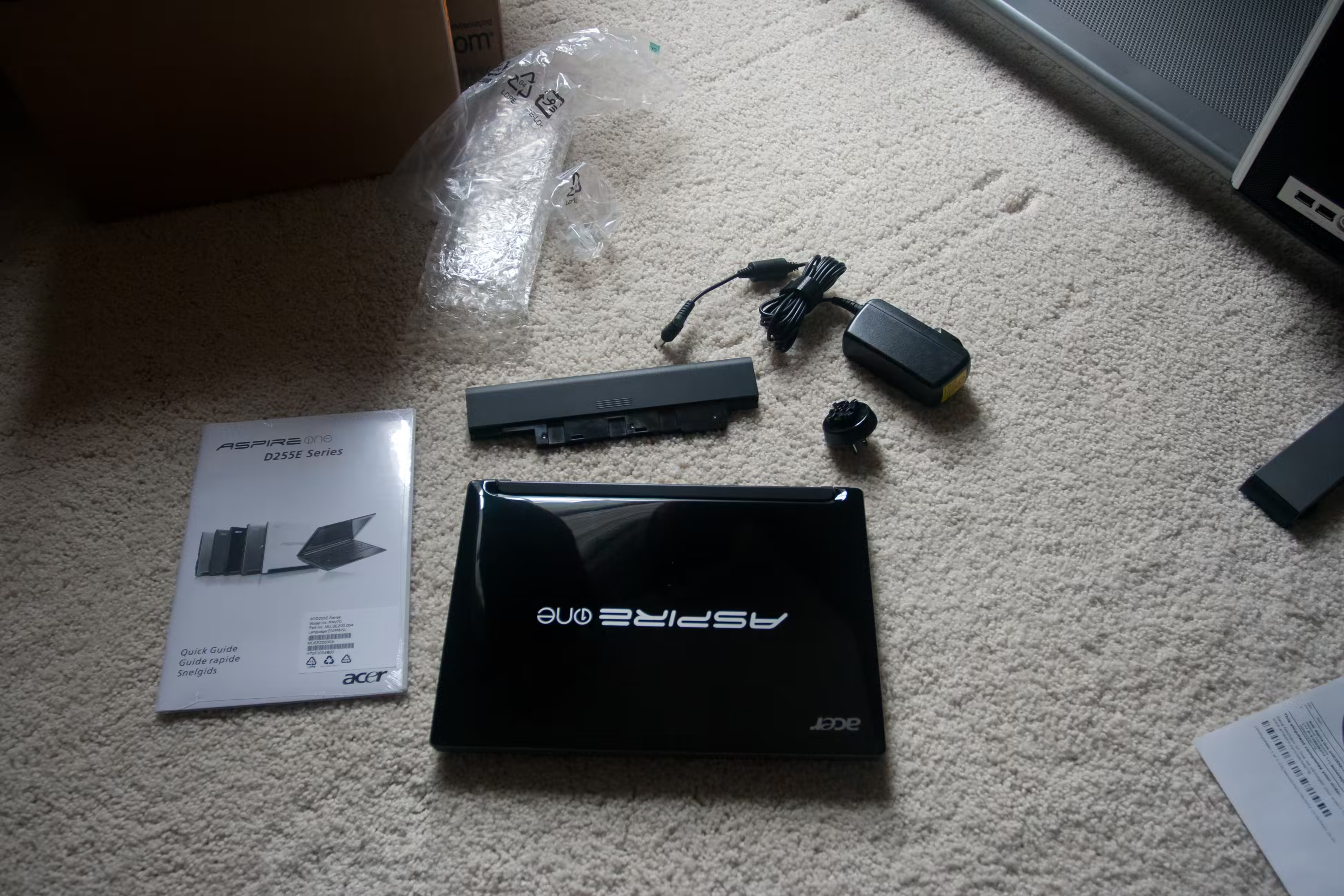
Acer Aspire One - out of the box
Nearly six years ago I bought my first laptop. I’d never seen the point of laptops over desktops - the value per dollar just isn’t there. But I was going to be traveling for work now and again and needed to be able to get in contact with the family while away. I got an old Acer that was on sale at best buy because it was the last one left. A year after buying that laptop, netbooks came out. I got my wife one of the first Asus EEE PCs because she was going on a work trip didn’t want to haul my heavy laptop around. So for the past few years we’ve traveled with both of those so I can use my laptop to watch my movies and she can use her netbook to watch hers. But I’m getting tired of that heavy laptop and now netbooks aren’t saddled with crippled versions of Linux and inferior hardware. So I got myself a new Acer Aspire One from Amazon. I’d seen the same one at Costco for $50 more (because it has double the battery life) and I’d wanted to get it for a while now. I’m going to be traveling to Chicago for a trip soon, and since my back has been giving me issues, I figured it was the time to go to a lighter laptop.
KDE: Strength in Abstraction
I have not yet tried out Gnome Shell or Ubuntu Unity, but the biggest complaint most people level against them is that our desktops are being tablet-ified. Sure, there need to be new, innovative interfaces for tablets and phones, but that’s no reason to abandon the desktop. Sure, perhaps the average Joe (or Jane) will be using tablets more and more, but some of us have real work to get done. We need to do photo editing, programming, video editing, 3D modeling, and other tasks that require something more than a glorified smart phone. This is where KDE excels.
KDE 4.6.1
A few weeks ago, I upgraded to KDE 4.6.1 in Fedora 14 from KDE 4.5. The first login after reboot dumped me into Gnome. What the heck was going on? Apparently, in GDM, the entry had changed from KDE4 to KDE Plasma Desktop. Once I logged in that way, I was able to see the new KDE. The biggest change I saw was that notifications looked much nicer. It’s hard to quantify in what way they looked nicer, but something they changed about the appearance is makes it more appealing to my eyes. Also, the way it animates really helps a lot. For example, when two of my contacts sign into IM networks at the same time, the second notification is smaller so that my desktop is not overwhelmed with notifications. If I mouse over the second one, it grows and the first one shrinks.
Testing out KDE's Activities
Now that KDE 4.6 has finally landed in Fedora (KDE 4.6.1, to be precise) I can properly test activities. I spoke before of how I planned to use them back in this post. So let’s see how well it works in practice. I think for my first activity, I will setup an activity for programming because it will have the least adverse affect on my current way of working if things go wrong. So I click on the KDE cashew on my left screen. I click on the activities button. Here’s what I get:
KDE Browswers Part 2: Rekonq
So I’ve been using reKonq for about 3 weeks now. (Regardless of what the date of this blog post is in relation to the previous one - I usually write these ahead of time and then stick them into the queue) So here we go:
The Good -Appears to have “Download them All” built-in if you enable the KGet settings in the preferences -Integrates perfectly with KDE -When you start up a new tab and then click on “recently closed tabs” the list of tabs has thumbnails of the sites. I think this is great because it helps you quickly find the site you’re looking for.
KDE Browsers Part 1: The Arguments
I’ve been using web browsers since Internet Explorer 1 and Netscape Navigator 3. I’ve blogged about my browser history quite a bit. I’ve ended up using Chrome on all my platforms. It works on Linux and Windows and I can have my bookmarks synced up across all those platforms. Now, I’m not a huge user of bookmarks. From my earliest days back in the 1990s when I used to perfectly curate my bookmarks into folders and subfolders to the mid-2000s when Epiphany and Firefox implemented tags on bookmarks, pretty much anything I’ve ever bookmarked has gone into a status of “out of sight== out of mind”. In fact, the only way I’ve been able to effectively use bookmarks is to use the space under the address bar to store them so I can see them. This is what Chrome looks like on my machines:
KDE Look Part 6: 4 Months In
I started using KDE in November of last yea r so I figured that I’d give an update on how things are working for me four months in. First off, KDE 4.6.x has not yet hit the official Fedora repositories. Since I like to yum upgrade or preupgrade from release to release, I try to stay with the official repos and RPMFusion. So no KDE 4.6 for me. At this rate, it doesn’t seem that it’s going to make it until around Fedora 15. But, if that means they iron out any extra bugs, that’s fine with me. So, with that said, let’s get to the info.
When KDE 4's Activities Finally Made Sense
I’ve been using KDE since November of 2010 around the time that 4.5 was released for Fedora. Around the time of 4.4, the KDE folks, especially Aaron Seigo and the rest of the Plasma team, started really pushing activities. I kept talking to people on identica and I couldn’t quite figure out the point of activities. They seemed to be redundant in a world with virtual desktops. (And, as you can see in the comments of the article I’ll be linking to, most people feel the same way) The biggest reason I seemed to hear was that each activity could have a different set of widgets. But one weekened I was messing around with KDE system settings and found out that you could set each virtual desktop to have different widgets and not have to mess with any of these activities. So after that weekend I *really* didn’t understand the whole hassle of activities. This is how I configured my desktops:
Spanish Language Support in Fedora 14 (KDE)
One awesome thing that is easy to notice in free/libre software is how international it is. While proprietary software is mainly based out of the US - Windows/OSX - free/libre software comes from all over the place. Mandriva is based out of Brazil and France. SUSE was originally developed in Germany. Miguel de Icaza, one of the founders of Gnome, was born in Mexico. Choqok, the best KDE-native microblogging software is created by an Iranian. So something that Linux has always done better than Windows is support more languages. Microsoft has to pay to create language translations so they have to make a market analysis about which languages to support (and it still doesn’t cover non-Microsoft programs) With Linux, it’s all volunteer work (or paid by companies that care about localization) and if the programs are written correctly for KDE and Gnome, they will all be able to take advantage of the translation work for their program. “Save” should probably translate well across all well-written programs. I think this is one of the reason why all the regions of Spain have their own Linux distros. I don’t know this for a fact, but I would guess that Windows probably only comes out in Castillian (official or regular Spanish) and not in Catalan, Andalusian, Basque, etc