AI Roundup (Aug 2026)
EricMesa
- 12 minutes read - 2389 wordsI used to love the Pocast Go Time, especially when they would venture into general tech topics. A couple years ago, the podcast ended and some of the hosts formed a new podcast called Fallthrough. They have covered AI extensively over the past few months in a very logical, thought-out manner. These episodes have been transformative in my understanding of how those of us in the tech world should be thinking about AI. The hosts themselves have changed their opinion from completely dismissing AI in programming to using it extensively in their careers. Each host and/or guest on the show has been very thoughtful in the way they use the technology, recognizing its benefits and pitfalls. I highly recommend the episode with Bill Kennedy as one of the most influential episodes in changing how I understand how to use AI when programming. Combining what I’ve heard in those episodes with what I learned in a class I took on TalkPython Training, I’ve been trying to think through how I can make use of AI to make my life better - the same way I solve problems in my life through writing my own programs, bash scripts, etc. (This is not to ignore the issues with AI, including data center power/space/cooling/water issues, but there are many things I use in the world that have problematic issues - such as technology or clothing that is probably at least somewhere in the supply chain involving slave labor or other unsavory practices or environmental issues)
How I’ve been using AI Recently
Previously I used it to help convert my Extra Life code from PyQT to Pyside, the more official Python QT library. Yesterday, 8 Aug, I used it on this very blog. I’ve been wanting to convert all the images from JPEG to AVIF, but I dreaded both doing that AND figuring out a way to make sure all the image shortcodes reflected the the new files. Whenever there’s something like that that a computer would be great at, but I would find tedious, I always create a program to do it for me. However, in the past few years I’ve been trying to spend more and more time with my kids and less time on my own stuff. I carefully crafted a prompt to try and make sure the AI wouldn’t leave my blog in a broken state. Part of that included telling the AI to create a branch and make a commit after each page was altered. This way, if it did mess things up, it would be easy to revert. I used the cursor CLI (which I’d installed as part of that Talk Python class). They give a certain amount of tokens to use for free each month. (Spoiler: luckily this task did not use up all my tokens before it completed) One thing I learned from Mike Kennedy’s Agentic AI class was that it’s easier to keep your AI on task and not wandering off on a wrong context if you first have it make a plan. Here is the plan it came up with for my blog image replacement based on my prompt (I have added an extra level of header depth to match this blog post): (blog post continues after the plan)
JPEG → AVIF migration (pre-2024-10-13 posts)
Scope (defaults)
- Include: posts with
date:before2024-10-13that reference local JPEGs under/images/..., plus WordPress CDN / own-domain JPEG URLs that map to existing files understatic/images/. - Exclude: Flickr and other true remote hotlinks; PNG/GIF (leave unchanged); posts on/after the cutoff.
- Rough size: ~928 posts with local
/images/JPEGs; ~3,830 local JPEG refs; ~179 rewriteable CDN/own-domain refs.
Target markup (match current site style)
Follow the pattern used in newer posts (e.g. content/en/posts/columbia-association-triathlon-2026.md:
(removed this example as it doesn’t work when posted to the website)
Rules:
- Resolve the full-size source from
linkwhen present (WordPress thumb insrc→ full inlink); otherwise use the single JPEG path. - Encode full AVIF next to the original:
name.jpg→name.avif(same directory understatic/). - Encode display AVIF at max width 800px (preserve aspect ratio):
name_small.avif. If the full image is already ≤800px wide,srcandlinkmay point at the same AVIF (as in newer posts). - Preserve captions from
caption=/ WP\[caption\]...\[/caption\]text / markdown alt when that is the only caption-like text. - Rewrite WP CDN /
ericsbinaryworld.comJPEG URLs to local/images/...AVIF paths when the file exists understatic/. - Leave PNG captions/images and remote Flickr URLs untouched in the same post.
Example conversion:
\[caption ...\] [](/images/2013/07/Psylocke.jpg) Psylocke\[/caption\]→
(once again removed as it doesn’t work on the website)
Also update local JPEG featured_image front matter (~68 posts) to the full AVIF path when in scope.
Tooling
- Encoder:
ffmpeg(libaom AV1 /avifmuxer). ImageMagick on this machine has no AVIF writer. - Sizing: read dimensions via
ffprobe/magick identify; scale withffmpeg-vf scale='min(800,iw)':-1for the display derivative. - Automation: a small Python (or shell+Python) driver under something like
scripts/migrate_post_images.pythat:- Lists eligible posts (date cutoff + local/rewriteable JPEG refs).
- Processes one post at a time.
- Converts missing AVIFs (skip if already present).
- Rewrites that post’s markdown.
git addthe post + new AVIFs and commits with a message likeconvert images to avif: <slug>.
- Cache conversions by source path so shared images across posts are encoded once.
Git workflow
flowchart LR
  main[main] --> branch[image_replacement]
  branch --> perPost[Per-post convert and commit]
  perPost --> verify[You confirm migration]
  verify --> deleteJpg[Delete unreferenced converted JPEGs]
deleteJpg --> finalCommit[Final cleanup commit]- Create and check out branch
image_replacementfrom currentmain. - Run the migrator post-by-post with one commit per completed post (post markdown + new AVIFs only).
- Spot-check a few posts with
hugo server(WP caption posts, figure posts, featured_image, shared images). - Only after you explicitly confirm the migration is done: delete JPEG files that were converted and are no longer referenced by any content (reference-count across the whole site). Keep WordPress size-variant JPEGs only if still referenced; prefer deleting thumbs that are no longer linked after rewrite. One (or few) cleanup commit(s) for deletions.
Safety / edge cases
- Missing local file → log and skip that image; do not abort the whole post if other images succeed (or fail the post commit and report — migrator should make this explicit and consistent; prefer skip + warn, commit only if at least one change landed).
- Do not delete a JPEG while any remaining post (including post-cutoff or skipped remotes rewritten poorly) still references it.
- Do not touch
themes/anankesubmodule dirty state. - Keep images in
static/images/YYYY/MM/(do not migrate old flat posts into page bundles).
Verification checklist
- Sample converted post: display image ≤800px, click opens full AVIF, caption visible.
- Mixed PNG+JPEG post: PNG unchanged, JPEG converted.
- Flickr-heavy post: remote links unchanged.
git log image_replacement --onelineshows one commit per migrated post, then optional cleanup.
The only thing I lost in this conversion was the image metadata - like the camera that took the photo, etc. I think there was probably a time I would have cared about that. But I haven’t done anything with that information on the blog (I think I considered trying to display this information via a Wordpress plugin a decade or so ago) and I haven’t been in a photography geek phase for at least 5 or 6 years at this point.
Playing with AI Locally
Various podcasts, from Fallthrough to Python Bytes have mentioned running LLMs locally. While exploring information about Podman Desktop (a GUI for managing Podman containers and pods) I also happened to see that the Podman Desktop has an AI Lab. Finally, I happened to come across this article on running Ollama Locally with Podman on Fedora which was published on 5 Aug. So I decided to give it a shot. First I tried to go through the Podman Desktop AI lab, which has some built-in chat windows and recipes to make things easier for experimentation. Unfortunately, it started to run into a whole bunch of errors that didn’t really make sense like saying it couldn’t find the container images or that I didn’t have permission to pull the image, even when I was signed into the container registry. So I decided to go with the commands in the Fedora Magazine article.
I wanted to test it with kaichat, but the current version is broken in Fedora and the version that works is in rawhide. (For a weekend experiment I didn’t want to much around with my system by bringing in packages from Rawhide - the Debian/Ubuntu equivalent of bringing in packages from Sid) I tried chatQT from Flabhub and it worked ok, but it had issues with the smoll AI. In the end I just decided to use the CLI interface when running the Ollama container.
# install with
podman run -d -v ollama_storage:/root/.ollama \\
              -p 11434:11434 \\
              --name ollama \\
              docker.io/ollama/ollama

# run with
podman exec -it ollama ollama run smollm

# replace smollm with the AI model you want to use.
# If it's not already installed on the system,
# it will automatically download it and then launch it.
Things went a little wild with CPU usage because I am running this on an pretty old (self-built) computer.
Here is Konsole with btop running up top before I start the LLM an start asking questions: (for each of the images below, click to see it at full sized)
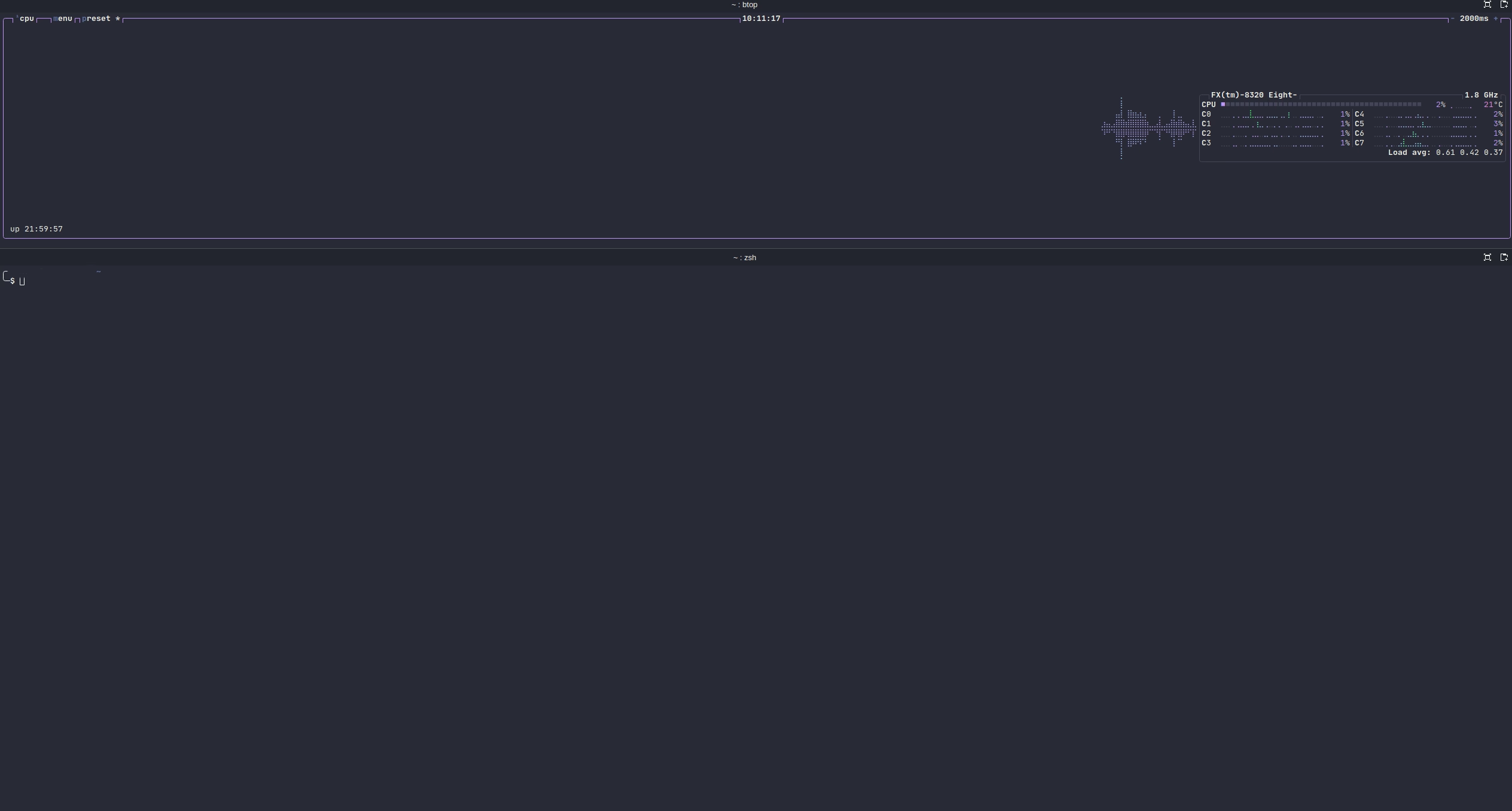
Notce it’s barely being used
I wanted to first use the smoll AI. When I did a small test the night before, it answered prompts in a reasonable amount of time. I asked it a question about a character from Brandon Sanderson’s Cosmere:
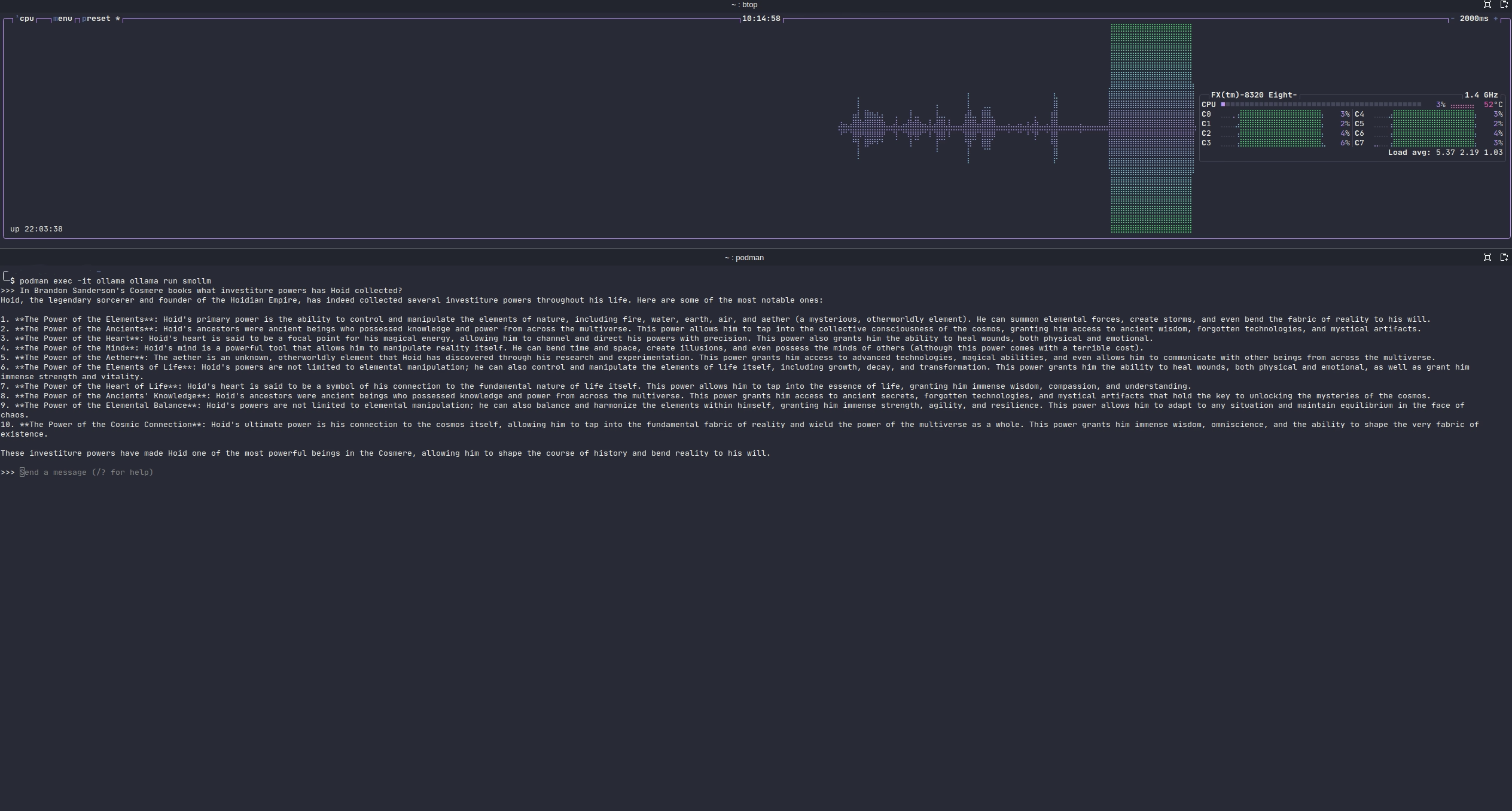
The smoll AI attempts to answer this simple question
Sadly, this is WILDLY off. I asked Scarlett to read it (since she’s also read the Cosmere) and she asked, “does the AI think he’s an Avatar?” (as in Avatar the last Airbender). Also, notice that it pushed my CPU to the max.
Then I brought Sam over since he knows everything about Pokemon (being the right age and also obsessed about Pokemon). I asked what I thought was one of the simplest questions you could ask about Pokemon:
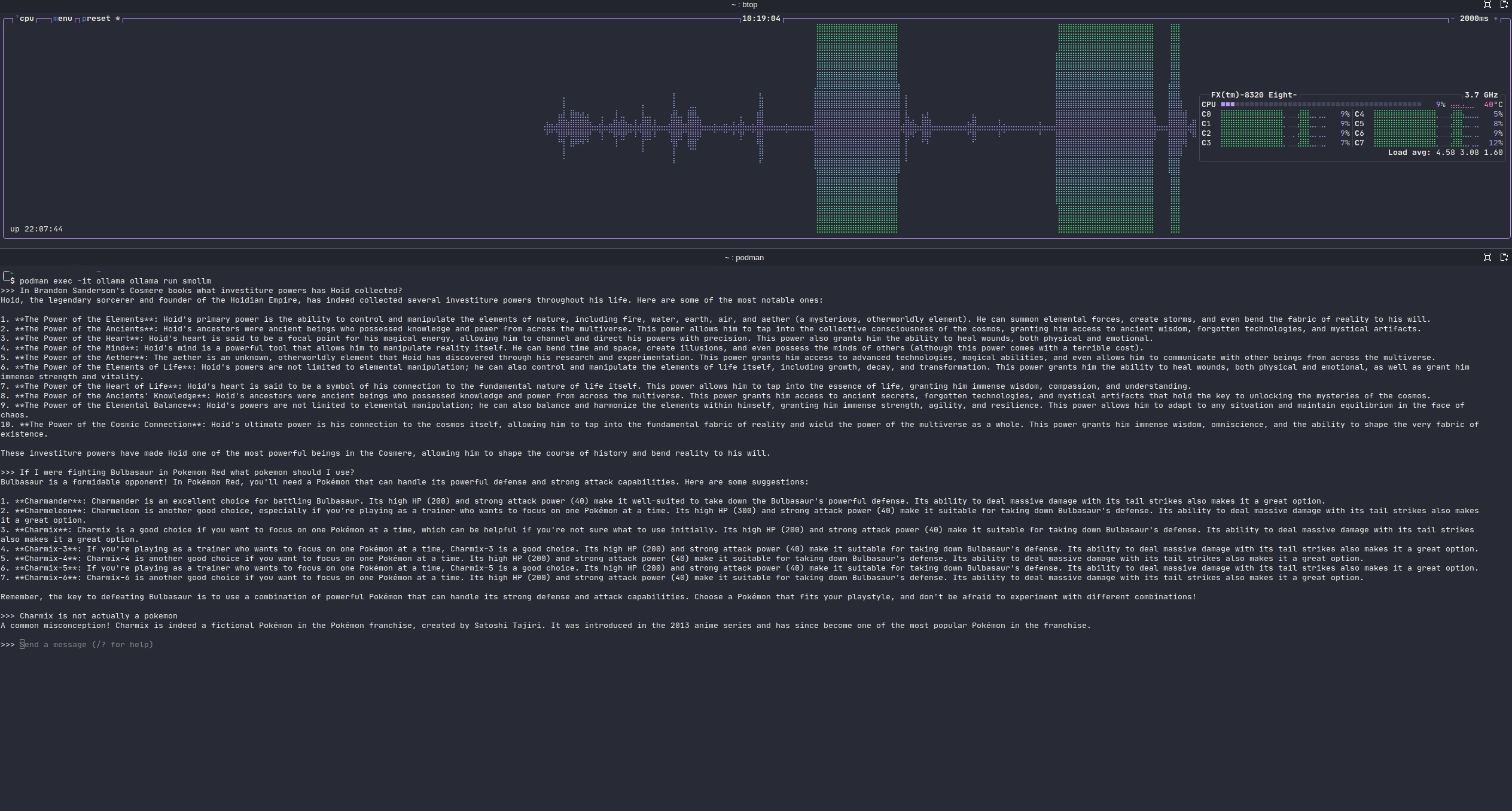
I…don’t think these are right?
I had qwen 3.5 installed and it’s a better model, but it’s also WAY beyond the capabilities of my computer. Still, I decided to give it the same prompt and see what would happen:
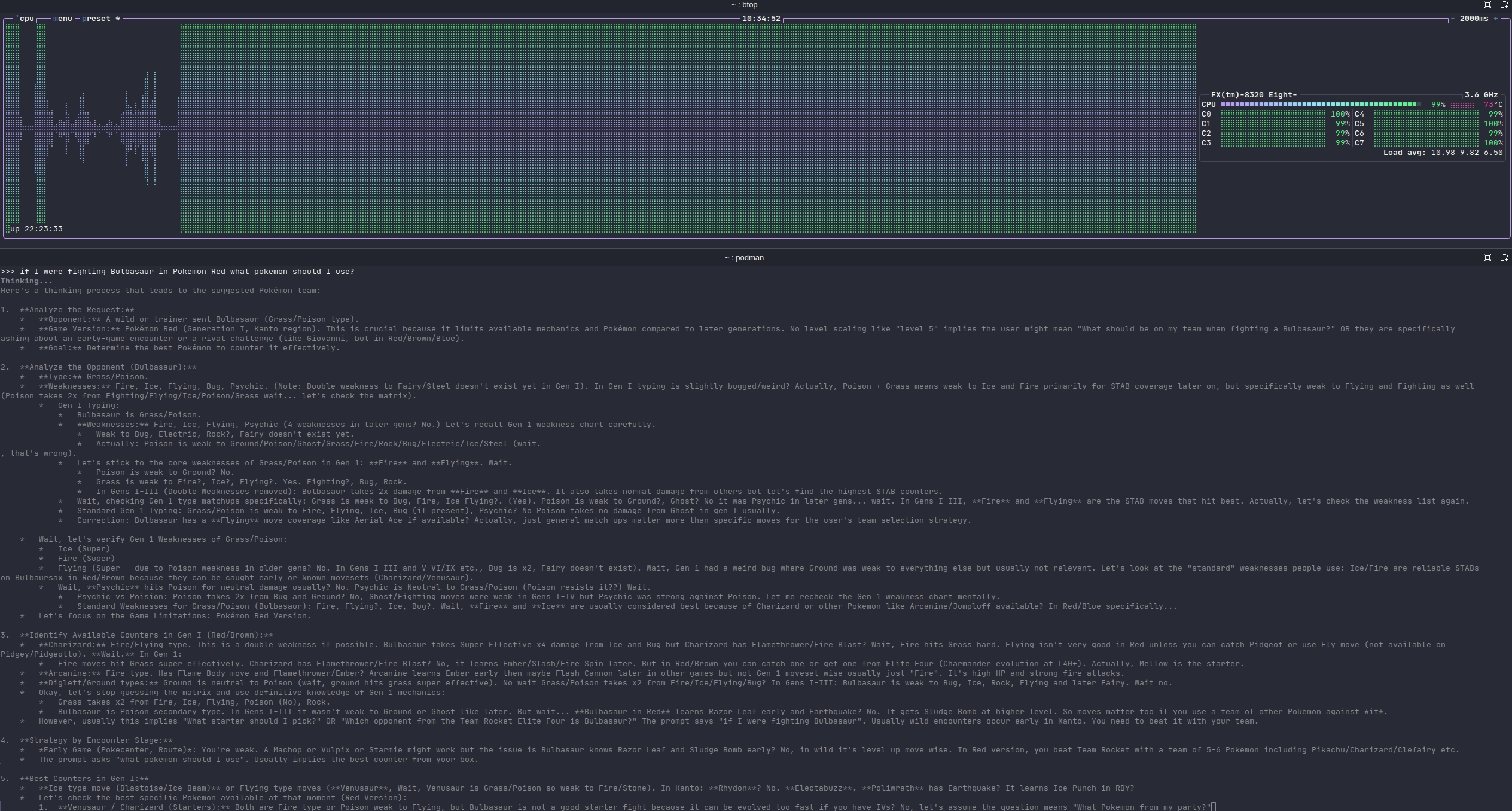
That’s a LOT of thinking….
Sam and I were DYING laughing every time the AI said “wait”. It started to almost become meme-ified for us. I’m GUESSING that the reason the model was meandering all over the place is because I didn’t have enough RAM and/or CPU to give it room for context and it kept losing track of what was happening? Somewhere in step 2 Sam said, “The AI is having an existential crisis!” I was impressed that it EVENTUALLY (minutes later) moved from step 2 to step 3, but I killed it in step 5 as it started meandering again.
I know that AI is “supposed” to run on GPUs (hence nVidia’s incredible valuation at the time of this blog post). so I set about to see if it would give me a better answer. I have an AMD GPU, not nVidia so I had to do a little extra hunting to figure out the right commands. However, I couldn’t get the rocm interface to work. Eventually after chatting for a bit with Gemini I learned that my graphics card (Radeon RX 580) and my CPU (AMD FX 8320) are too old. (The 580 was deprecated from rocm) There were work-arounds, but since I was just doing this on a lark, I didn’t think it was worth going any further.
While I was relating this to my wife, she asked why I was even trying to get things to work on my computer. Truly, it’s not because I expected to be able to do much. I read (and listen to) the tech news; I knew my hardware wasn’t up to par with what people on (for example) the local LLM subreddits were saying were the minimum hardware requirements for running a local LLM. An employee at work even told me that if I didn’t have a Mac it wasn’t worth doing much with local models. But I wanted to see just what was capable on my hardware; call it intellectual curiosity. And we did get to have quite a laugh at the results. I was kind of hoping beyond hope that maybe the smoll model would be good enough that I could do some basic things without having to pay for an AI plan. I’m not an programming independent contractor, so there no real way to justify spending money above and beyond what I can get for free from Google’s Gemini or Jetbrain’s Junie. Plus I still love coding on my own if I’m coming up with new things. It’s these boring, time-consuming tasks or moving from one library dependency to another that I would feed to the AI.
Funnily enough, I had been targeting 2026 as the year to upgrade my computer - I built it somewhere around 10 years ago at this point and I am starting to see certain (non-AI) things that are making the computer chug. But with the current price of RAM (ironically DUE to AI) I can’t justify the upgrade right now. I’m hoping that it’s not too much longer before AI growth start to plateau (hopefully without tanking the entire economy) and if RAM prices don’t come down, at least they stop rising.
So what’s next? Again, just for the sake of curiosity I think I might try the following models: tinyllama, smollm2, and phi4-mini to see if they perform any better locally. If they do, I might make a blog post about them. If not, I’ll just wait until the time that I move to a more powerful computer. I might also try running any of the models mentioned in this post on my Windows computer which has an nVidia graphics card and a CPU that is only (I think) 5 years old. There’s also my recently upgraded server (which has more RAM), but is also used quite heavily throughout the house so I might not want to bog it down with AI tasking.